
The Ultimate Guide to Safeguarding Your Online Meetings on Zoom and Teams
Online meetings have become a cornerstone of modern communication, facilitating collaboration and connection across distances. However, their widespread use also presents security challenges. This guide outlines how to protect your Zoom and Microsoft Teams meetings, covering potential risks, essential security measures, and best practices for managing participant access and data protection.
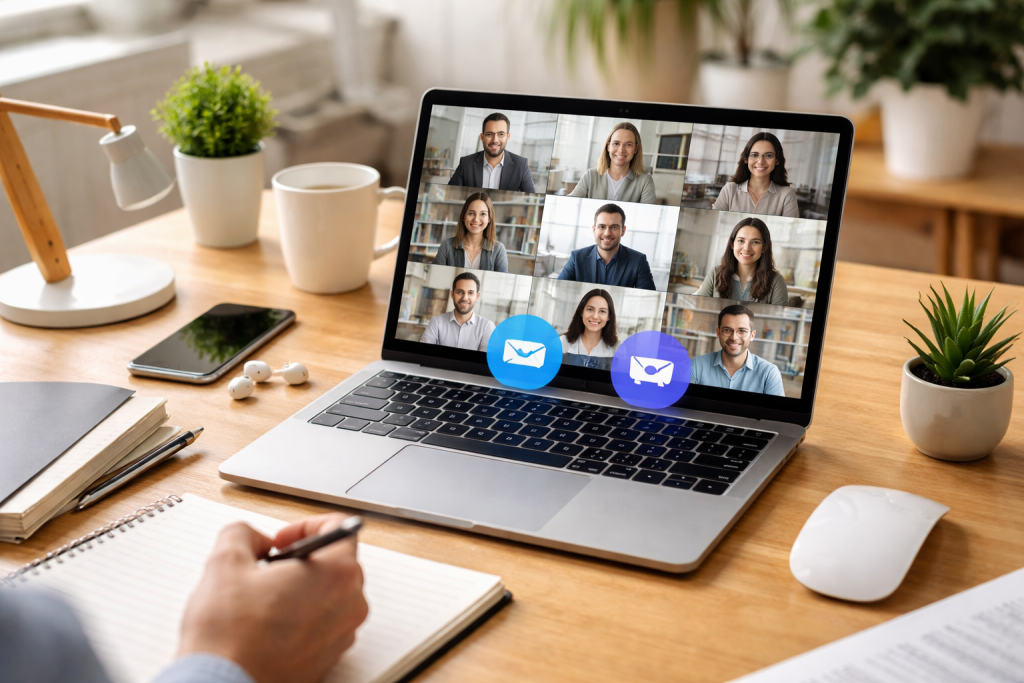
The convenience of online meetings comes with inherent risks. Opening your virtual meeting space unintentionally creates potential entry points for individuals who shouldn’t be present. Understanding these vulnerabilities is the first step toward mitigating them.
Contents
- 0.1 Unauthorized Access and Disruptions
- 0.2 Data Breaches and Interception
- 0.3 Malware and Phishing Attacks
- 0.4 Privacy Concerns
- 0.5 Utilizing Waiting Rooms and Access Codes
- 0.6 Configuring Meeting Security Settings
- 0.7 Keeping Software Updated
- 0.8 Educating Participants
- 0.9 Host Controls and Management
- 0.10 Employing Meeting Passwords and Unique IDs
- 0.11 Limiting Who Can Share Their Screen
- 0.12 Disabling Join Before Host
- 0.13 Using Scheduled Meetings with Specific Times
- 0.14 Reviewing Meeting Participants
- 0.15 Understanding Encryption
- 0.16 Securely Storing Meeting Recordings
- 0.17 Being Mindful of Shared Information
- 0.18 Managing Permissions for File Sharing
- 0.19 Respecting Participant Privacy
- 0.20 Muting and Unmuting Participants
- 0.21 Removing Unwanted Participants
- 0.22 Controlling Screen Sharing Permissions
- 0.23 Managing Chat Functions
- 0.24 Assigning Co-Hosts
- 0.25 Using Secure Messaging Features
- 0.26 Implementing Strong File Sharing Protocols
- 0.27 Avoiding Public Wi-Fi for Sensitive Meetings
- 0.28 Verifying Participant Identities
- 0.29 Understanding Relevant Regulations
- 0.30 Implementing Platform-Specific Compliance Features
- 0.31 Conducting Security Audits
- 0.32 Training Employees on Compliance
- 1 FAQs
- 1.1 1. What are the common risks associated with online meetings on Zoom and Teams?
- 1.2 2. What are the best practices for securing Zoom and Teams meetings?
- 1.3 3. How can unauthorized access to online meetings be prevented?
- 1.4 4. What measures can be taken to protect data and privacy during online meetings?
- 1.5 5. How can organizations ensure compliance with security regulations and standards during online meetings?
One of the most common risks is unauthorized access, often referred to as “Zoombombing” in the context of Zoom, but applicable to any platform. This occurs when an individual who was not invited gains entry to a meeting. These intruders can disrupt the meeting with inappropriate content, harassment, or by attempting to steal sensitive information. This type of breach is like leaving your front door unlocked in a public place; you invite unwanted attention.
Data Breaches and Interception
Online meetings often involve the exchange of sensitive information, from confidential business discussions to personal data. Without proper security measures, this data can be vulnerable to interception or breaches. For instance, unencrypted communication channels can be likened to sending a postcard through the mail—anyone along the postal route can potentially read its contents. Even recorded meetings can be a target if not stored securely.
Malware and Phishing Attacks
The links used to join online meetings or shared within them can be vectors for malware or phishing attacks. Clicking on a malicious link can lead to the installation of harmful software on your device or trick you into revealing your login credentials. These attacks are like a Trojan horse, appearing harmless but carrying a destructive payload.
Privacy Concerns
Participant privacy is a significant concern. Without clear guidelines and controls, personal information shared during meetings, including names, email addresses, and even visual presence, can be mishandled or misused. This can range from accidental oversharing to deliberate exploitation of participant details.
Implementing robust security measures is critical to preserving the integrity and privacy of your online meetings. These practices act as your digital security guards, ensuring that only authorized individuals can enter and that your conversations remain protected.
Utilizing Waiting Rooms and Access Codes
Both Zoom and Microsoft Teams offer features to control who enters your meetings. The waiting room function allows the host to review and approve each participant before they join, acting as a digital bouncer. Requiring a password or meeting ID adds another layer of authentication, similar to needing a specific key to unlock your door. Always generate a strong, unique password for each meeting.
Configuring Meeting Security Settings
Familiarize yourself with the security settings available on your chosen platform. This includes options to disable screen sharing for participants by default, to control chat functions, and to prevent participants from renaming themselves. These settings are like reinforcing the walls of your virtual meeting room, adding structural integrity.
Keeping Software Updated
Software updates often include critical security patches that address newly discovered vulnerabilities. Failing to update your Zoom or Teams applications is akin to ignoring a known weakness in your home’s security system. Regularly check for and install updates on all devices used for meetings.
Educating Participants
The security of a meeting is a shared responsibility. Educate your participants on basic security hygiene, such as not sharing meeting links indiscriminately, being cautious of suspicious links, and understanding the importance of strong passwords. This empowers everyone to be a vigilant guardian of the virtual space.
Host Controls and Management
As a host, you wield significant power over the meeting’s security. Understand how to mute participants, remove unwanted guests, and manage screen sharing permissions. These controls are your ability to intervene and maintain order, ensuring the meeting stays on track and secure.
Preventing individuals from joining your meetings without permission is paramount. This requires a proactive approach, setting up defenses before the meeting even begins. Think of the procedure as securing your perimeter before anyone even approaches your property.
Employing Meeting Passwords and Unique IDs
Always enable the meeting password feature and ensure that a unique meeting ID is generated for each session. Avoid using personal meeting IDs for sensitive meetings, as these are often more predictable. Please share the meeting ID and password exclusively with those who are required to attend. This technique is like issuing a unique ticket for every single event, preventing gatecrashers.
Uncontrolled screen sharing can lead to security risks and disruptions. Configure your settings so that only the host can share their screen, or set it to allow participants to share only when explicitly permitted. This prevents someone from hijacking the presentation or displaying unauthorized content. Imagine having a projector that only the teacher can operate; it keeps the lesson focused.
Disabling Join Before Host
The “Join Before Host” option can be a convenience, but it also allows participants to enter the meeting room before the host has a chance to secure it. Disable this feature to ensure you are present to manage access and set up security measures before anyone joins. This type of behavior is like controlling entry to a venue and not allowing anyone inside until the event manager arrives.
Using Scheduled Meetings with Specific Times
Avoid using instant meetings for sensitive discussions. Please schedule your meetings with a specific start and end time. This gives you control over when participants can join and leaves less room for unexpected guests to linger.
Reviewing Meeting Participants
During the meeting, periodically review the list of participants. Be prepared to remove unfamiliar names using the host controls. This is a final check, an ongoing vigilance to ensure the integrity of your virtual space.
Beyond just preventing unauthorized access, it’s essential to safeguard the information exchanged and to respect the privacy of all attendees. This involves understanding how data is handled and implementing measures to keep it confidential.
Understanding Encryption
Most reputable meeting platforms use encryption to protect the data transmitted during your meetings. End-to-end encryption, where only the participants can decrypt the messages, offers the highest level of security. Become acquainted with your platform’s encryption methods and confirm their activation. This kind of encryption is like having a secret code that only you and your intended recipient understand.
Securely Storing Meeting Recordings
If you record your meetings, ensure that these recordings are stored securely. Avoid storing them on public cloud storage without proper access controls. Consider encrypting recordings before storing them or using the platform’s built-in secure storage options. A compromised recording can reveal sensitive information long after the meeting has concluded.
During the meeting, be conscious of what information you are sharing, both verbally and visually. Avoid discussing highly confidential matters in less secure meeting environments. For extremely sensitive discussions, consider if an online meeting is the most appropriate format.
Managing Permissions for File Sharing
If your platform allows for file sharing during meetings, understand the permissions associated with this feature. Ensure that files are only shared with intended recipients and that the sharing settings are configured appropriately. This type of arrangement is like having a locked cabinet within your meeting room for important documents.
Respecting Participant Privacy
Be mindful of participant privacy. Avoid intentionally recording or sharing video or audio from participants without their explicit consent. Encourage participants to use their full names for easy identification.
Effective participant management is key to a smooth and secure online meeting. This involves leveraging the platform’s tools to control who can do what within the meeting session.
Muting and Unmuting Participants
As a host, you can mute participants who may be causing background noise or speaking out of turn. This is a crucial tool for maintaining focus and preventing disruptions. Similarly, you can unmute participants when it’s their turn to speak. This is like having a conductor’s baton to control the flow of conversation.
Removing Unwanted Participants
If an unauthorized individual gains access, or if a participant behaves inappropriately, you have the ability to remove them from the meeting. Do not hesitate to use this feature to maintain a secure and respectful environment. This is your eject button for unwanted guests.
Controlling Screen Sharing Permissions
As mentioned earlier, controlling screen sharing is vital. You can often set permissions to allow only the host to share or to allow any participant to share. For collaborative sessions where participants need to share, you can grant this permission on a case-by-case basis or for specific periods.
Managing Chat Functions
The chat feature can be a useful tool for questions and resource sharing, but it can also be used for distractions or inappropriate messages. Understand how to control who can chat with whom (e.g., everyone, hosts only, or specific individuals) and be prepared to disable chat if necessary.
Assigning Co-Hosts
For larger or more complex meetings, consider assigning co-host privileges to trusted individuals. Co-hosts can help manage participants, mute/unmute, and control other aspects of the meeting, allowing the primary host to focus on content delivery. This is like having a team of assistants to help manage a large event.
The conversations and data exchanged during online meetings are valuable. Implementing security measures for these aspects ensures confidentiality and integrity.
Using Secure Messaging Features
If your platform offers built-in secure messaging, utilize it for sensitive communications that occur within the meeting. Understand the encryption status of these messages.
Implementing Strong File Sharing Protocols
When sharing files, ensure you are using the platform’s secure file-sharing options. Avoid sharing sensitive documents via email attachments unless the email itself is encrypted. For highly confidential documents, consider using secure document collaboration tools outside of the meeting platform.
Avoiding Public Wi-Fi for Sensitive Meetings
Public Wi-Fi networks are often less secure and more prone to interception. For meetings involving confidential information, always use a trusted and secure network, such as your home or office network.
Verifying Participant Identities
For very sensitive meetings, consider implementing pre-meeting verification steps to confirm the identity of participants. This could involve a quick verbal confirmation or cross-referencing with a known contact list.
For businesses and organizations, adhering to security regulations and standards is not just good practice but often a legal requirement.
Understanding Relevant Regulations
Familiarize yourself with data protection regulations relevant to your industry and location, such as GDPR (General Data Protection Regulation) for European citizens’ data or HIPAA (Health Insurance Portability and Accountability Act) for healthcare information.
Implementing Platform-Specific Compliance Features
Many meeting platforms offer features designed to help organizations meet compliance requirements. This might include enhanced audit logs, data retention policies, or specific security certifications.
Conducting Security Audits
Regularly review your organization’s online meeting practices and security configurations to ensure they align with current regulations and industry best practices. External security audits can provide an objective assessment of your security posture.
Training Employees on Compliance
Make sure to train all employees who use online meeting platforms on the relevant security regulations and company policies. This creates a culture of security awareness. This procedure is like providing your security team with the latest training manuals and protocols.
By understanding the risks and diligently implementing these security measures, you can significantly enhance the safety and privacy of your online meetings, allowing for more productive and secure collaboration in the digital age.
FAQs
1. What are the common risks associated with online meetings on Zoom and Teams?
Common risks associated with online meetings on Zoom and Teams include unauthorized access by uninvited participants, potential data breaches, privacy concerns, and the sharing of sensitive information with unintended recipients.
2. What are the best practices for securing Zoom and Teams meetings?
Best practices for securing Zoom and Teams meetings include using unique meeting IDs and passwords, enabling waiting rooms to screen participants, restricting screen sharing to hosts only, and keeping meeting software updated with the latest security patches.
Unauthorized access to online meetings can be prevented by using strong passwords, enabling two-factor authentication, and regularly reviewing and managing participant permissions to ensure only authorized individuals have access to the meetings.
4. What measures can be taken to protect data and privacy during online meetings?
To protect data and privacy during online meetings, it is important to use end-to-end encryption for communication and file sharing, avoid sharing sensitive information in chat messages, and familiarize yourself with the platform’s privacy settings and features.
5. How can organizations ensure compliance with security regulations and standards during online meetings?
Organizations can ensure compliance with security regulations and standards during online meetings by implementing security policies and procedures, providing security awareness training to employees, and regularly conducting security audits and assessments to identify and address any compliance gaps.

At SecureByteHub, we are passionate about simplifying cybersecurity and technology for everyone. Our goal is to provide practical, easy-to-understand guides that help individuals, students, and small businesses stay safe in the digital world. From online security tips to the latest tech insights, we aim to empower our readers with knowledge they can trust