
Stay Safe Online: Tips for Identifying and Avoiding Phishing Scams
Phishing is a type of online fraud where criminals attempt to trick individuals into revealing sensitive information, such as usernames, passwords, credit card details, or bank account numbers. Criminals often achieve this by impersonating legitimate organisations or individuals through email, text messages, or fake websites. The goal is to exploit trust and gain unauthorised access to personal accounts or financial resources.
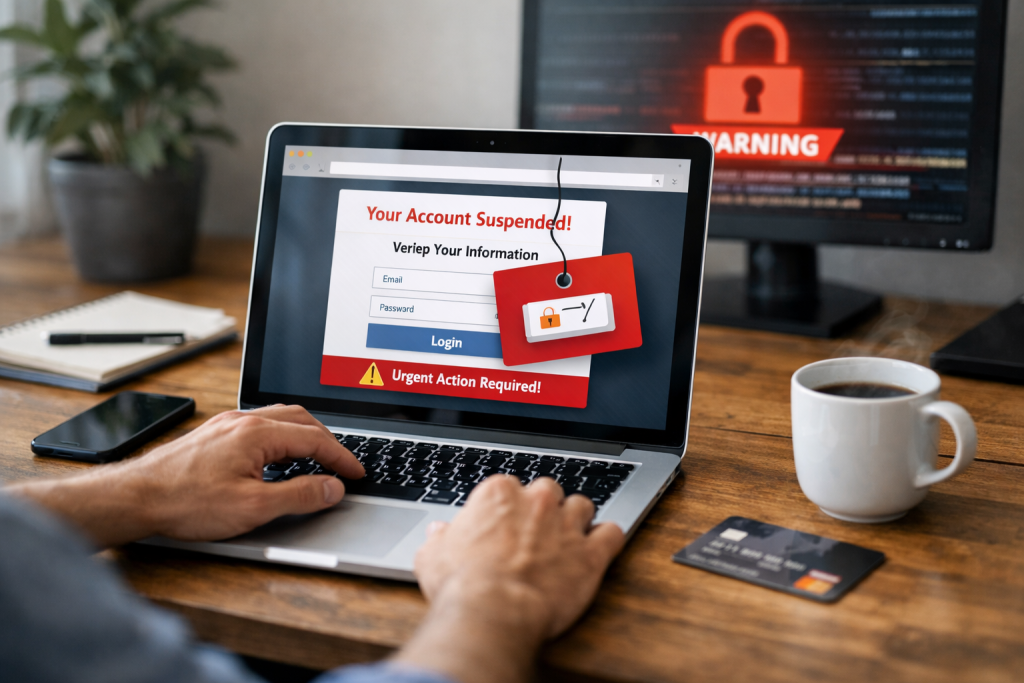
Phishing attacks are a persistent threat in the digital world. Phishing attacks disguise their malicious intent by appearing harmless and trustworthy. The first step in defending against these attacks is to understand their design and execution. The sophistication of phishing methods has increased over time, making it crucial for individuals to stay vigilant.
Contents
- 0.1 The Anatomy of a Phishing Attack
- 0.2 Common Phishing Tactics
- 0.3 Scrutinizing the Sender’s Email Address
- 0.4 Examining the Content of the Message
- 0.5 The Deception of Fake Websites
- 0.6 Cultivating Healthy Skepticism
- 0.7 Verifying Information Through Official Channels
- 0.8 Strengthening Your Digital Defenses
- 0.9 Crafting Strong, Unique Passwords
- 0.10 Embracing Two-Factor Authentication (2FA)
- 0.11 What to Do if You Suspect a Phishing Attempt
- 0.12 Reporting Phishing for the Greater Good
- 0.13 Keeping Up with Emerging Threats
- 0.14 Educating Others About Phishing Risks
- 1 FAQs
The Anatomy of a Phishing Attack
A phishing attack typically involves several stages. First, the attacker identifies a target or a broad group of targets. Then, they craft a deceptive message designed to elicit an immediate or emotional response. This message might create a sense of urgency, fear, or opportunity. The message will then direct the recipient to take a specific action, such as clicking a link, downloading an attachment, or providing information directly. The final stage is the exploitation of the compromised information.
Social Engineering at Play
At its core, phishing relies on social engineering. This involves manipulating people’s natural tendencies to trust, be helpful, or act quickly without careful consideration. Attackers exploit human psychology, leveraging our desire to avoid trouble, seize opportunities, or simply believe what we see and read. Imagine a skilled illusionist deceiving the audience while simultaneously taking advantage of them.
Common Phishing Tactics
Attackers employ various tactics to make their scams believable. These often include:
Impersonation of Trusted Entities
Phishers frequently impersonate well-known companies, government agencies, or even friends and colleagues. They might use official-looking logos, brand colors, and familiar language to appear authentic. Examples include fake emails from banks asking to verify account details or messages from social media platforms claiming a security breach.
Creating a Sense of Urgency or Fear
Many phishing attempts are designed to pressure recipients into acting without thinking. Messages might claim that an account has been compromised, that a payment is overdue, or that a package delivery is awaiting confirmation. This manufactured urgency is a powerful tool for bypassing rational thought.
Offering Unrealistic Incentives
On the other hand, certain phishing scams offer rewards that appear excessively attractive. This could be a lottery win, a substantial discount, or an exclusive offer. The allure of such rewards can blind individuals to the potential dangers.
Understanding the warning signs of a phishing attempt is a crucial defense. These signs serve as indicators of potential dangers. By paying close attention to details, you can often avoid falling victim.
Scrutinizing the Sender’s Email Address
A common giveaway is a sender’s email address that is slightly different from the legitimate one. For example, a bank might use an email address like “security@mybank.com,” but a phisher might use “security@mybank-support.com” or “mybank.service@outlook.com.” While these can be subtle, scrutinizing the domain name is key.
Examining the Content of the Message
The content of a phishing message often contains clues. Look for:
Grammatical Errors and Poor Spelling
Legitimate organizations usually have professional communication departments and proofread their messages carefully. Phishing emails, on the other hand, often contain numerous grammatical errors, awkward phrasing, and misspellings. These imperfections can be a strong indicator of a fraudulent attempt.
Vague or Generic Greetings,
Phishing attempts often do not address you by your name. Instead, they might use generic greetings like “Dear Customer” or “Dear Account Holder.” Legitimate companies typically know your name and will use it in their communications.
Unexpected Attachments or Links
Be highly suspicious of any email that asks you to download an attachment or click on a link, especially if you were not expecting it. These attachments can contain malware, and the links can lead to fake websites designed to steal your information.
The Deception of Fake Websites
Phishers create websites that closely mimic legitimate ones, right down to the logos and branding. They do this to trick you into entering your login credentials or other sensitive data. A key indicator of a fake website is the URL.
Checking the Website’s URL
Before entering any personal information on a website, always check the URL in your browser’s address bar. Look for:
The Presence of HTTPS
Legitimate websites that handle sensitive information use HTTPS (Hypertext Transfer Protocol Secure), which is indicated by a padlock icon in the address bar. Although some non-HTTPS sites are legitimate, the lack of HTTPS on a site requesting personal data is a major warning sign.
Mismatches in the Domain Name
“www.mybank.net.” As mentioned with email addresses, domain names on fake websites can be subtly altered. For instance, a legitimate bank’s website might be “www.mybank.com,” but a phishing site could be “www.mybank-login.com” or “www.mybank.net.”
Preventing phishing attacks requires a layered approach, combining awareness with proactive security measures. Think of it as building a strong digital fortress.
Cultivating Healthy Skepticism
The most effective defense against phishing is a healthy dose of skepticism. Always question unsolicited communications, especially those that ask for sensitive information or create a sense of urgency. If something feels off, it probably is.
Verifying Information Through Official Channels
—If you receive a suspicious message from a company you do business with, do not click on any links or reply to the email. Instead, go directly to the company’s official website by typing the URL into your browser, or call them using a phone number you know is legitimate—not one provided in the suspicious message.
Strengthening Your Digital Defenses
Beyond awareness, there are technical measures you can take to protect yourself.
The Crucial Role of Antivirus and Antimalware Software
Keeping your security software up-to-date is essential. Antivirus and antimalware programs can detect and block malicious software that might be bundled with phishing attachments or downloaded from fake websites.
The Power of Browser Security Settings
Your web browser has built-in security features. Make sure to activate features such as pop-up blockers and phishing filters. These can help prevent you from landing on malicious websites or downloading harmful content.
Your passwords are like the keys to your digital life. Without strong ones and an extra layer of security, those keys can be easily duplicated.
Crafting Strong, Unique Passwords
Weak passwords are low-hanging fruit for attackers. A strong password is
Length and Complexity
Aim for passwords that are at least 12 characters long and include a mix of uppercase and lowercase letters, numbers, and symbols. Avoid using easily guessable information such as birthdays, names, or common words.
The Peril of Reusing Passwords
Using the same password for multiple accounts is like using the same key for your house, car, and safe deposit box. If one is compromised, all are vulnerable. Each online account should have a unique password.
Embracing Two-Factor Authentication (2FA)
Two-factor authentication adds a crucial extra layer of security. It requires you to provide two distinct forms of identification to gain access to an account.
How 2FA Works
phone or Typically, this involves something you know (your password) and something you have (a code sent to your phone or generated by an authenticator app). This makes it much harder for attackers to gain access even if they manage to steal your password.
Enabling 2FA on All Possible Accounts
2FA. Many online services now offer 2FA. A. Make it a habit to enable it on your email, banking, social media, and any other important accounts. It’s a simple step that significantly enhances your security.
Encountering a phishing attempt is not the end of the world. How you respond can help protect yourself and others.
What to Do if You Suspect a Phishing Attempt
If you receive a suspicious email or message, do not engage with it. Do not click any links, download any attachments, or reply.
Deleting the Suspicious Message
The simplest and often most effective action is to delete the message. This removes the temptation to interact with it.
Marking as Spam or Junk
Most email clients have an option to mark emails as spam or junk. Doing so helps train the email provider’s filters to better identify and block similar future attempts.
Reporting Phishing for the Greater Good
Reporting phishing attempts helps security experts and companies combat these threats.
Reporting to the Impersonated Company
If a phishing email impersonates a specific company, forward the email to their abuse or security department. They can then investigate and take action.
Reporting to Your Email Provider
Your email provider is another valuable resource for reporting phishing. This helps them improve their spam detection capabilities.
Reporting to Government Agencies
In many countries, there are government agencies dedicated to combating cybercrime. Reporting phishing attempts to these bodies can contribute to broader law enforcement efforts. For example, in the United States, you can report phishing to the Federal Trade Commission (FTC).
The landscape of online threats is constantly evolving. To stay safe, you must remain informed and adaptable.
Keeping Up with Emerging Threats
New phishing tactics and scams appear regularly. Staying informed provides the knowledge to recognize and avoid them.
Following Reputable Security Resources
Many cybersecurity organizations and government agencies offer free resources, blogs, and news updates on the latest online threats. Following these can keep you in the loop.
Participating in Security Awareness Training
If your employer offers cybersecurity training, participate actively. These programs are designed to equip you with the knowledge and skills to navigate the digital world safely.
Educating Others About Phishing Risks
Sharing your knowledge about phishing with friends, family, and colleagues can create a safer online environment for everyone. By spreading awareness, you contribute to a collective defense against these pervasive threats.
FAQs
What is phishing, and how does it work?
Phishing is a type of cyberattack where scammers use fraudulent emails, websites, and messages to trick individuals into providing sensitive information such as usernames, passwords, and credit card details. These scammers often impersonate legitimate organizations to gain the trust of their targets and then use the stolen information for malicious purposes.
Common signs of a phishing scam
Common signs of a phishing scam include generic greetings, urgent requests for personal information, misspelled or suspicious URLs, and offers that seem too good to be true. Additionally, phishing emails often contain grammatical errors, request sensitive information, or threaten negative consequences if the recipient does not comply.
Tips for identifying and avoiding phishing scams
To identify and avoid phishing scams, individuals should carefully examine the sender’s email address, avoid clicking on suspicious links or attachments, verify the legitimacy of requests for personal information, and use security software to protect against phishing attempts. It is also important to stay informed about the latest phishing tactics and to report any suspicious emails or messages.
How to protect yourself from phishing attacks
To protect yourself from phishing attacks, it is important to regularly update your security software, use strong and unique passwords for all accounts, enable two-factor authentication whenever possible, and be cautious when sharing personal information online. Additionally, individuals should be wary of unsolicited requests for sensitive information and should verify the legitimacy of any communication from organizations.
The importance of secure passwords and two-factor authentication
Secure passwords and two-factor authentication are crucial for protecting against phishing attacks and other forms of cyber threats. Strong, unique passwords make it more difficult for scammers to access accounts, while two-factor authentication adds an extra layer of security by requiring a second form of verification, such as a code sent to a mobile device, in addition to the password. These measures significantly reduce the risk of unauthorized access to personal and sensitive information.

At SecureByteHub, we are passionate about simplifying cybersecurity and technology for everyone. Our goal is to provide practical, easy-to-understand guides that help individuals, students, and small businesses stay safe in the digital world. From online security tips to the latest tech insights, we aim to empower our readers with knowledge they can trust