
Protect Your Privacy: Stop Email Tracking in Its Tracks
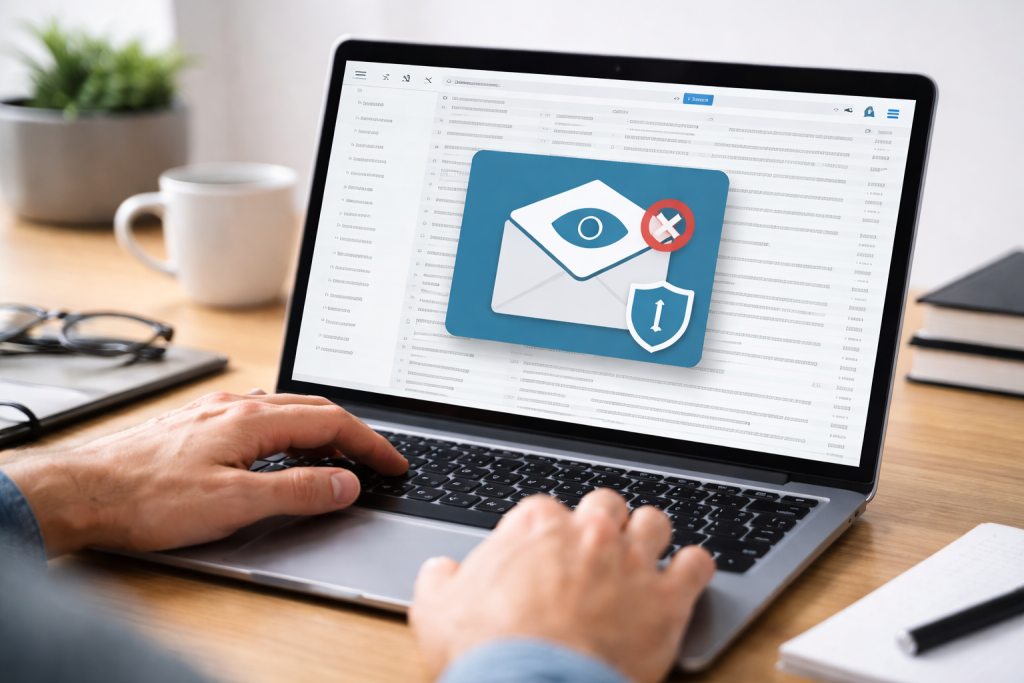
Email tracking involves embedding small, often invisible, elements within emails to monitor their engagement. This allows senders to determine if an email has been opened, when, and by whom. While sometimes used for legitimate purposes like understanding campaign performance, it also raises significant privacy concerns.
Email tracking is not a single technology but a range of methods employed to gain insight into how recipients interact with emails. These methods are designed to be discreet, meaning recipients are often unaware their actions are being monitored. The primary goal of tracking is data collection, providing senders with metrics they can use to refine their communication strategies or gather intelligence on their audience.
Contents
- 0.1 The Mechanics of Email Tracking
- 0.2 Types of Data Collected
- 0.3 Privacy Violations
- 0.4 Security Vulnerabilities
- 0.5 Profiling and Data Aggregation
- 0.6 The Role of Images and Links
- 0.7 Server-Side Logging
- 0.8 Unique Identifiers and Correlation
- 0.9 Adjusting Email Client Settings
- 0.10 Using Browser Extensions and Tools
- 0.11 Utilizing Privacy-Focused Email Services
- 0.12 The Power of Virtual Private Networks (VPNs)
- 0.13 Privacy Regulations and Laws
- 0.14 Transparency and Consent
- 0.15 The Intent Behind Tracking
- 0.16 Strong Password Management
- 0.17 Enabling Two-Factor Authentication (2FA)
- 0.18 Being Wary of Phishing Attempts
- 1 FAQs
The Mechanics of Email Tracking
The most common method of email tracking involves inserting a tiny, one-pixel image, often referred to as a tracking pixel or a web beacon. This pixel is hosted on a remote server. The recipient’s email client downloads the image from the server when they open an email containing this pixel. This act of downloading registers as an “open” with the tracking service. The server logs the IP address of the recipient, the time of the opening, and sometimes other information, such as the type of device and email client used. Emails can also be tracked through embedded links. When a link within an email is clicked, the URL is often routed through a tracking server. This server then redirects the user to the intended destination. This process allows the sender to record the click, the time it occurred, and the recipient’s location. Some advanced tracking techniques can even infer engagement based on mouse movements or how long a user spends looking at an email.
Types of Data Collected
The data collected through email tracking varies depending on the sophistication of the method used. At its most basic, it focuses on opens and clicks. However, more advanced systems can collect a wider array of information.
Open Tracking
Open tracking relies on downloading a tracking pixel. When an email reader displays an email, it often automatically downloads any embedded images. When a tracking pixel appears in these images, its download notifies the sender about the email’s opening. It is important to note that some email clients are configured to block automatic image downloads for privacy reasons. In such cases, the tracking pixel will not download, and the email will not register as opened, even if the recipient viewed the content. This can lead to inaccurate open rates.
Click Tracking
Click tracking monitors user interactions with links embedded within an email. Instead of linking directly to a website or resource, links are routed through a tracking server. When a user clicks the link, they are first sent to the tracking server, which records the click event. This allows the sender to know not only that a link was clicked but also which specific link was clicked and at what time. This data is valuable for understanding which content resonates most with the audience. However, it also means that the sender knows precisely which links you have interacted with.
Beyond Opens and Clicks
More sophisticated tracking can go further. Some services attempt to identify the recipient by correlating the email open with other data points, such as IP address or cookies present on the user’s device if they have previously visited the sender’s website. This can allow for the creation of detailed user profiles, linking email activity to other online behaviors. While not directly part of the email itself, this cross-referencing is a common extension of email tracking practices.
The widespread use of email tracking raises several privacy and security concerns for individuals. The ability of senders to monitor engagement without explicit consent can feel intrusive and compromise personal data.
Privacy Violations
The core concern with email tracking is the erosion of privacy. When your emails are tracked, your reading habits and engagement levels become data points for the sender. This information, when aggregated, can create a detailed picture of your interests, habits, and even your schedule. This information could be used for targeted advertising but also potentially for more concerning purposes, such as assessing your responsiveness to certain types of messages or influencing your decision-making through personalized content. The data can feel like a digital shadow is following your every mail interaction.
Security Vulnerabilities
While not the primary function of most tracking tools, the data collected and stored by tracking services can become a target for cyberattacks. A breach in a tracking server’s database could expose sensitive information about email opens and clicks. Furthermore, some tracking methods, if not implemented securely, could potentially be exploited to infer information about a user’s network or system, though such attack is less common for standard pixel-based tracking. However, the aggregation of data from many users through tracking can create richer profiles that are more attractive to malicious actors.
Profiling and Data Aggregation
Email tracking is a component in the broader landscape of online profiling. The data gathered from email opens and clicks can be combined with information from other sources, such as website visits, social media activity, and purchase history. This allows companies to build comprehensive profiles of individuals, which can then be used for sophisticated targeting. The worry is that these profiles may make false assumptions about people, leading to their being pigeonholed for marketing or other reasons. Imagine a detailed map of your online personality being drawn without your direct input on every brushstroke.
Email tracking relies on fundamental principles of web communication and data transfer. The mechanisms are designed to be largely invisible to the recipient, operating in the background of email client functions.
The Role of Images and Links
The primary methods of email tracking involve the use of embedded images and modified hyperlinks. As mentioned, a tracking pixel is a minuscule image file, often a single black or transparent pixel, hosted on a web server. When the recipient’s email client renders the HTML content of an email, it attempts to load any embedded images. If the tracking pixel is among them, the request to load it is sent to the tracking server. Similarly, click tracking involves redirecting links through a server that records the click before sending the user to their intended destination.
Server-Side Logging
The magic of tracking happens on the server. When a tracking pixel is downloaded or a tracked link is clicked, the server logs the event. This log entry typically includes the IP address from which the request originated, its timestamp, and potentially a unique identifier associated with the email or recipient. This server-side logging is the engine that captures the engagement data. Without this server component, the embedded elements would have no way to communicate back to the sender.
Unique Identifiers and Correlation
To differentiate between recipients and individual opens, tracking systems often employ unique identifiers. These can be embedded within the image URL or embedded in the redirected link. When a tracking pixel is requested, the identifier in the URL allows the server to associate that request with a specific email sent to a specific recipient. Such tracking enables senders to see who opened their email and when, rather than just knowing that an email was opened. This allows for a personalized view of engagement data.
Fortunately, individuals can take several proactive steps to minimize or prevent email tracking. These methods involve adjusting settings within email clients and employing browser extensions.
Adjusting Email Client Settings
Many email clients offer settings that can help mitigate tracking. The most effective of these is the option to disable automatic image loading. By requiring manual approval to download images, you can prevent tracking pixels from being loaded until you explicitly decide to do so. This gives you control over when tracking can occur. You can also review and adjust privacy settings within your email provider’s interface.
Disabling Automatic Image Loading
To prevent tracking pixels from automatically downloading, configure your email client to ask for permission before displaying images. Most modern email clients have this option readily available in their settings or preferences. For example, in Gmail, you can go to Settings > General and select “Ask before displaying external images.” Other clients have similar options. This ensures that you know when an email is trying to load content from an external server.
Reviewing Privacy Options
Explore the privacy settings offered by your email provider. Some providers may offer additional features or settings to enhance your privacy against tracking. Regularly checking these settings ensures you are utilizing the most protective configurations available.
Using Browser Extensions and Tools
Beyond email client settings, browser extensions and specialized tools can further bolster your defenses against email tracking and other online tracking methods. These tools often work by blocking known tracking domains or by modifying your browser’s behavior.
Privacy-Focused Browser Extensions
Several browser extensions are designed to block trackers, including those used in email. Extensions like Privacy Badger, uBlock Origin, or DuckDuckGo Privacy Essentials can identify and block requests to known tracking servers. While primarily for web browsing, their effectiveness can extend to blocking tracking pixels served from web servers when images are loaded.
Dedicated Email Privacy Tools
There are also tools and services specifically designed for email privacy. Some services offer anonymized email addresses or help to identify and block tracking elements within emails before they reach your inbox. These tools can add an extra layer of protection, acting as a digital gatekeeper for your communications.
A variety of tools and technical approaches can be employed to actively combat email tracking, offering a more robust defense than simple configuration changes. These range from software solutions to user-driven practices.
Utilizing Privacy-Focused Email Services
Certain email providers prioritize user privacy and incorporate features that inherently limit tracking. These services often employ advanced techniques to anonymize your activity and prevent data collection.
Services with Built-in Anti-Tracking
Some email providers, like ProtonMail or Tutanota, are built with privacy as a core principle. They encrypt emails end-to-end and offer features that block or obscure tracking attempts by default. Choosing such a provider can significantly reduce your exposure to email tracking from the outset. They act as a shield for your digital communications.
Using Aliases and Disposable Email Addresses
To further distance yourself from tracking efforts, consider using email aliases or disposable email addresses. Aliases allow you to create multiple email addresses that all funnel into your primary inbox. You can use unique aliases for different services or contacts. This makes it harder for senders to correlate your activity across different contexts. Disposable email addresses provide temporary, single-use email addresses that can be used for sign-ups or interactions where you anticipate being tracked. Once the address is no longer needed, it can be deactivated.
The Power of Virtual Private Networks (VPNs)
While not solely for email tracking, Virtual Private Networks (VPNs) can play a supporting role in enhancing your overall privacy and making it more difficult for trackers to pinpoint your location or link your activity to your real IP address.
Masking Your IP Address
When you connect to the internet through a VPN, your IP address is replaced with the IP address of the VPN server. This makes it more challenging for tracking scripts to identify your precise geographical location or link your email activity to your home network. It’s like changing your return address on every letter you send. A VPN can be a valuable tool in a broader privacy strategy for online communications.
Encrypting Your Traffic
A VPN also encrypts your internet traffic, protecting it from interception by your Internet Service Provider (ISP) or other entities on your network. While this doesn’t directly stop a tracking pixel from downloading, it adds a layer of security to your online activities.
The practice of email tracking touches upon areas of privacy law and raises ethical questions about transparency and consent. As technology evolves, so do the legal frameworks attempting to govern its use.
Privacy Regulations and Laws
Various privacy regulations around the world address user data and consent. The General Data Protection Regulation (GDPR) in Europe, for instance, places strict requirements on how personal data is collected, processed, and stored. Many of these regulations imply that tracking activities, especially those that infer personal preferences or habits, requires informed consent. The California Consumer Privacy Act (CCPA) also provides consumers with rights regarding their personal information. These laws are designed to give individuals more control over their digital footprint.
Transparency and Consent
Ethically, senders should be transparent about their email tracking practices. This means informing recipients that their engagement is being monitored. Ideally, this should be accompanied by a mechanism for obtaining consent. Without clear communication and explicit consent, email tracking can be seen as a breach of trust. Users should not have to be digital detectives to understand how their data is being handled.
The Intent Behind Tracking
The ethicality of email tracking often depends on its purpose. Tracking for legitimate business analytics to improve user experience or tailor content is generally viewed differently than tracking for manipulative marketing or for the sale of user data to third parties. The intent behind the data collection is a significant factor in the ethical evaluation of the practice.
Beyond preventing tracking, a comprehensive approach to email security involves multiple layers of protection. These practices ensure your communications are not only private but also secure from unauthorized access.
Strong Password Management
The foundation of email security is a strong, unique password for your email account. Avoid easily guessable passwords or reusing passwords across multiple services. Consider using a password manager to generate and store complex passwords securely. A strong password acts as the first line of defense, like an imposing gate to your digital home.
Creating Complex and Unique Passwords
Combine uppercase and lowercase letters, numbers, and symbols to create a robust password. Aim for a length of at least 12 characters. Crucially, do not use the same password for your email as you do for other online accounts. If one account is compromised, others remain safe.
Utilizing Password Managers
Password managers automate the process of creating and storing strong, unique passwords. They can generate highly complex passwords and automatically fill them in when you log in, enhancing both security and convenience.
Enabling Two-Factor Authentication (2FA)
Two-factor authentication adds a crucial extra layer of security to your email account. It requires you to provide two forms of verification before granting access, typically your password and a code generated by an app or sent to your phone. This makes it exceedingly difficult for unauthorized individuals to access your account, even if they somehow obtain your password.
How 2FA Works
When you log in with your password, a second verification step is required. This could be a code from an authenticator app on your smartphone, a text message sent to your phone, or a physical security key. This two-step process significantly increases the security of your account.
Benefits of Two-Factor Authentication
2FA is one of the most effective ways to prevent account takeovers. Even if your password is stolen or compromised, the attacker will still need access to your second factor to log in. This drastically reduces the risk of unauthorized access.
Being Wary of Phishing Attempts
Phishing emails are designed to trick you into revealing sensitive information or clicking on malicious links. They often impersonate legitimate organizations and may even use tracking elements themselves. Always scrutinize emails asking for personal information or directing you to unusual websites.
Recognizing Phishing Tactics
Phishing emails often create a sense of urgency, contain grammatical errors, or ask for personal details like passwords, bank account numbers, or social security numbers. Be suspicious of unexpected attachments or links, and verify the sender’s identity through other means if unsure.
Responding to Suspicious Emails
If you receive a suspicious email, do not click on any links or download any attachments. Instead, report it as spam or phishing to your email provider. If you believe you may have fallen victim to a phishing scam, change your passwords immediately and contact your bank or credit card company if financial information was compromised.
FAQs
What is email tracking?
Email tracking is a method used by senders to monitor the behavior of email recipients. It allows senders to track when and how often an email is opened, how long it is viewed, and whether any links within the email are clicked.
What are the risks and concerns of email tracking?
The risks and concerns of email tracking include invasion of privacy, potential exposure of sensitive information, and the potential for targeted advertising or phishing attacks based on the tracked data.
How does email tracking work?
Email tracking works by embedding a small, invisible image or code within the body of an email. When the recipient opens the email, the image or code sends a signal back to the sender’s server, providing information about the recipient’s behavior.
What are some tips to prevent email tracking?
To prevent email tracking, recipients can disable automatic image loading in their email client, use browser extensions or add-ons that block tracking pixels, and avoid clicking on links in emails from unknown or untrusted senders.
What are some tools and techniques to stop email tracking?
Tools and techniques to stop email tracking include using encrypted email services, employing virtual private networks (VPNs) to mask IP addresses, and using email client settings to block external content and tracking pixels.

At SecureByteHub, we are passionate about simplifying cybersecurity and technology for everyone. Our goal is to provide practical, easy-to-understand guides that help individuals, students, and small businesses stay safe in the digital world. From online security tips to the latest tech insights, we aim to empower our readers with knowledge they can trust