
Defend Your Laptop: The Best Antivirus Software for Ultimate Protection
Understanding Antivirus Software
Antivirus software serves as a crucial shield for your laptop, guarding against a wide array of digital threats. In today’s connected world, where malware, viruses, ransomware, and phishing attacks are commonplace, a robust antivirus solution is not a luxury but a necessity. Without adequate protection, your personal data, financial information, and even your laptop’s operating system are vulnerable to compromise. Consider antivirus software as the digital immune system for your computer, diligently working to detect and neutralize harmful agents before they can cause damage. This article explores the importance of antivirus software, the features to look for, available options, and how to best leverage this technology for comprehensive laptop security.
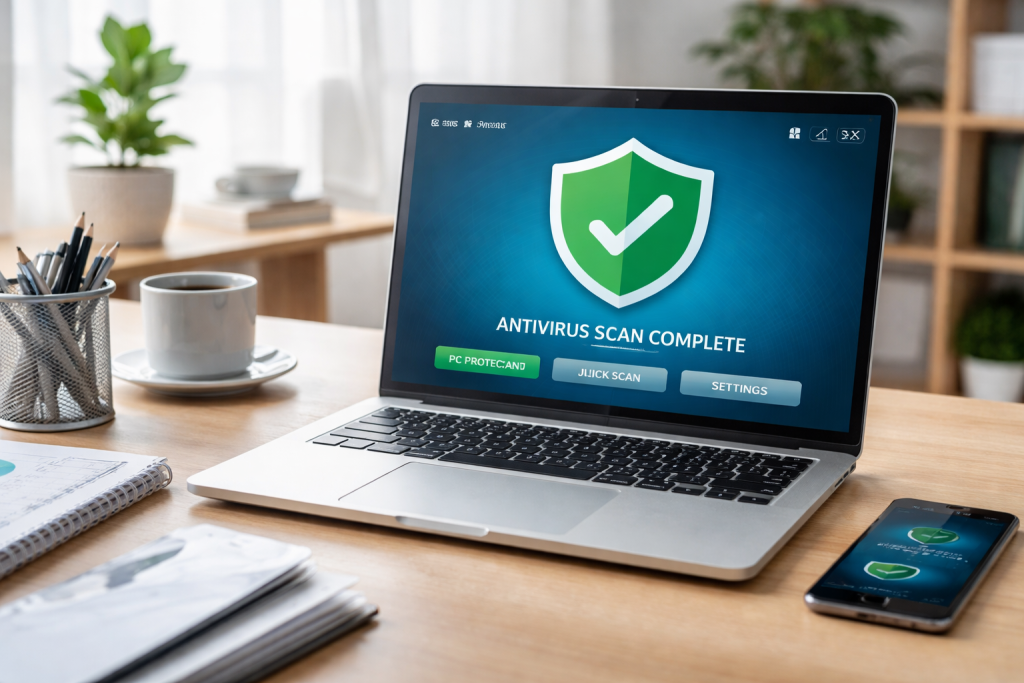
The digital landscape is constantly evolving, with cybercriminals developing new and more sophisticated methods to infiltrate systems. These threats can range from minor annoyances like pop-up ads to devastating attacks that can lock away your files or steal your identity. Antivirus software acts as the first line of defense, employing various techniques to identify and eliminate these malicious programs. It operates by scanning files, applications, and network traffic for known signatures of malware, as well as using advanced heuristics to detect novel and unknown threats.
The Importance of Antivirus Software
The primary function of antivirus software is to protect your laptop from malicious software, commonly referred to as malware. Malware encompasses a broad category of harmful programs, including viruses, worms, Trojans, spyware, adware, and ransomware. Each type of malware poses a unique threat:
- Viruses are designed to replicate themselves and spread to other files and systems, often causing system corruption or data loss.
- Worms are similar to viruses in their ability to self-replicate but can spread independently across networks without human intervention.
- Trojans masquerade as legitimate software but contain malicious payloads that can steal data, install backdoors, or grant remote access to attackers.
- Spyware secretly monitors user activity, collecting sensitive information such as passwords, credit card details, and browsing habits.
- Adware displays unwanted advertisements, often in the form of pop-ups, and can sometimes track user behavior.
- Ransomware encrypts your files and demands a ransom payment for their decryption, effectively enslaving your data.
Beyond detecting and removing these threats, antivirus software offers other vital protective layers. It can prevent unauthorized access to your system by blocking suspicious network connections and can also safeguard you from visiting malicious websites that may host malware or attempt to phish for your personal information. Furthermore, in the event of a data breach or infection, many antivirus programs offer backup and recovery features, minimizing the impact of an attack. Ignoring the installation and maintenance of antivirus software is equivalent to leaving your front door unlocked in a neighborhood plagued by high crime rates.
Contents
- 0.1 Safeguarding Personal Data
- 0.2 Preventing Financial Loss
- 0.3 Maintaining System Integrity
- 0.4 Real-time Protection
- 0.5 Malware Detection and Removal Capabilities
- 0.6 Regular Updates
- 0.7 Firewall
- 0.8 Phishing Protection
- 0.9 Ransomware Protection
- 0.10 Scan Options
- 0.11 Leading Commercial Antivirus Suites
- 0.12 Free Antivirus Solutions
- 0.13 Open-Source and Community-Driven Solutions
- 0.14 Assess Your Usage Habits
- 0.15 Consider Your Budget
- 0.16 Evaluate Available Features
- 0.17 Technical Proficiency
- 0.18 Number of Devices
- 0.19 Keep Software Updated
- 0.20 Practice Safe Browsing Habits
- 0.21 Use Strong, Unique Passwords
- 0.22 Enable Two-Factor Authentication (2FA)
- 0.23 Be Wary of Phishing Attempts
- 0.24 Perform Regular Scans
- 0.25 Back Up Your Data
- 0.26 Advanced Threat Protection
- 0.27 Comprehensive Feature Sets
- 0.28 Improved Performance
- 0.29 Better Customer Support
- 0.30 Proactive Security Measures
- 0.31 User Education and Awareness
- 0.32 Regular Software Updates
- 0.33 Secure Network Configurations
- 0.34 Physical Security
- 0.35 Incident Response Plan
- 1 FAQs
- 1.1 1. What is the importance of antivirus software for laptop protection?
- 1.2 2. What are the top features to look for in antivirus software?
- 1.3 3. How can I choose the right antivirus software for my needs?
- 1.4 4. What are the benefits of investing in premium antivirus software?
- 1.5 5. How can I maximize my laptop’s security with antivirus software and additional security measures?
Safeguarding Personal Data
Your laptop likely stores a wealth of personal and sensitive information, including financial records, personal documents, photographs, and login credentials. A data breach can have severe consequences, leading to identity theft, financial fraud, and reputational damage. Antivirus software helps protect this sensitive data by preventing malware from accessing or exfiltrating it. It acts as a digital bouncer, preventing unauthorized individuals from rummaging through your digital belongings.
Preventing Financial Loss
Financial information is a prime target for cybercriminals. Antivirus software can protect against malware designed to steal credit card numbers, bank account details, and online banking credentials. It can also prevent you from being redirected to fake banking websites that mimic legitimate ones to phish for your login information. The costs associated with recovering from financial fraud or identity theft can be substantial, making prevention through antivirus software a wise investment.
Maintaining System Integrity
Malware can destabilize your operating system, leading to frequent crashes, slow performance, and data corruption. In severe cases, an infection can render your laptop completely unusable, requiring costly repairs or a complete system reinstallation. Antivirus software maintains system integrity by identifying and removing the rogue elements that threaten its stability. It ensures your laptop runs smoothly and reliably, allowing you to perform your tasks without interruption.
Top Features to Look for in Antivirus Software
When selecting antivirus software, several key features contribute to its effectiveness and your overall security. A comprehensive solution will offer more than just basic virus scanning.
Real-time Protection
Real-time protection is the cornerstone of any effective antivirus program. This feature continuously monitors your system and scans files and processes as they are accessed or executed. It operates in the background, intercepting threats the moment they appear, acting like an ever-vigilant security guard at your digital gates. Without real-time protection, you might only discover an infection after it has already infiltrated your system and begun its malicious work.
Malware Detection and Removal Capabilities
The primary purpose of antivirus software is to detect and remove malware. Look for software with a high detection rate against a wide range of malware threats. This level of detection level of detection is often measured by independent testing labs. The ability to effectively remove detected threats without causing further damage to your system is also crucial.
Regular Updates
Cybersecurity threats are constantly evolving, with new malware variants emerging daily. Antivirus software relies on up-to-date virus definitions to recognize and neutralize these new threats. Therefore, frequent and automatic updates are essential. Think of these updates as keeping your security guard’s knowledge of wanted criminals current. Software that doesn’t update regularly quickly becomes obsolete.
Firewall
While not always a core component of antivirus software itself, many reputable antivirus suites include a built-in firewall. A firewall acts as a barrier between your laptop and the internet, controlling incoming and outgoing network traffic. It can block unauthorized access attempts and prevent suspicious connections from reaching your system. It’s like a checkpoint at your digital border, scrutinizing who and what is trying to enter or leave.
Phishing Protection
Phishing attacks are designed to trick you into revealing sensitive information by impersonating trustworthy entities. Antivirus software with robust phishing protection can identify and block malicious websites and links that are part of phishing campaigns. This feature helps prevent you from falling victim to social engineering tactics.
Ransomware Protection
Ransomware has become a particularly damaging threat. Advanced antivirus solutions include specific ransomware protection features, such as behavior monitoring that detects suspicious file encryption activity or dedicated folders designed to safeguard your important files from unauthorized modification.
Scan Options
Antivirus software typically offers different scanning options, including quick scans, full system scans, and custom scans. Quick scans check the most vulnerable areas of your system, while full scans provide a more thorough examination. The ability to schedule scans or initiate them on demand offers flexibility in managing your security.
Comparing the Best Antivirus Software Options
Several reputable antivirus providers offer robust protection for laptops. While the “best” option can be subjective and depend on individual needs, some consistently rank highly in independent tests for their detection rates, performance, and feature sets. It’s important to note that the cybersecurity landscape is dynamic, and new threats and software updates can influence rankings.
Leading Commercial Antivirus Suites
Leading commercial antivirus suites often bundle a comprehensive set of security features beyond basic malware protection. These can include advanced firewalls, VPNs, password managers, parental controls, and cloud backup solutions. Examples of well-regarded providers include Norton, McAfee, Bitdefender, Kaspersky, and ESET. These suites are typically subscription-based, requiring annual renewal for continued protection and updates. Many offer tiered plans with varying levels of features and protection for multiple devices.
Free Antivirus Solutions
Free antivirus software can provide a baseline level of protection for users who cannot afford a paid subscription. While they often lack the advanced features and comprehensive support of their paid counterparts, they can still be effective against common threats. Popular free options include Avast Free Antivirus, AVG AntiVirus Free, and Microsoft Defender Antivirus (built into Windows). It’s important to be aware that some free antiviruses may display advertisements or attempt to upsell users to their premium versions.
Open-Source and Community-Driven Solutions
While less common for end-user antivirus on laptops, some open-source security tools exist. These solutions rely on community contributions for development and updates. However, they are often more suited for technically advanced users and may not offer the user-friendliness or integrated feature sets of commercial products for the average laptop user.
When comparing options, consider consulting independent testing lab results from organizations like AV-Test, AV-Comparatives, and SE Labs. These labs regularly evaluate antivirus software based on their effectiveness in detecting and removing malware, their impact on system performance, and their usability.
How to Choose the Right Antivirus Software for Your Needs
Selecting the most suitable antivirus software involves analyzing your specific usage patterns, technical expertise, and budget. The ideal antivirus software varies for each user.
Assess Your Usage Habits
Your online activities significantly influence your security needs. If you frequently download files, browse various websites, engage in online banking, or use public Wi-Fi, you’ll require a more robust solution. For users who primarily use their laptop for basic tasks like email and web browsing, a less feature-rich but still effective option might suffice. Think about your digital footprint—the larger and more exposed it is, the stronger your armor needs to be.
Consider Your Budget
Antivirus software is available at various price points, from free options to premium subscriptions. Free antiviruses offer a starting point, but paid solutions generally provide more comprehensive protection, advanced features, and better customer support. Determine how much you are willing to invest in your laptop’s security. Remember that the cost of a security breach can far outweigh the expense of a good antivirus.
Evaluate Available Features
As discussed earlier, prioritize features like real-time protection, robust malware detection, and regular updates. If you frequently handle sensitive financial data, phishing and ransomware protection become paramount. For families, parental controls within an antivirus suite can be a valuable addition.
Technical Proficiency
Some antivirus programs are more user-friendly than others. If you are not particularly tech-savvy, opt for an antivirus with a simple interface and intuitive controls. Conversely, if you are comfortable with more advanced settings, you might explore software that offers greater customization.
Number of Devices
Many antivirus suites offer multi-device licenses, allowing you to protect multiple laptops, smartphones, and tablets under a single subscription. If you have several devices, this can be a more cost-effective solution than purchasing individual licenses for each.
Tips for Maximizing Your Laptop’s Security with Antivirus Software
Antivirus software is a powerful tool, but it’s most effective when used in conjunction with good security practices. Think of your antivirus as a trained bodyguard; it can handle many threats, but you still need to be aware of your surroundings and avoid dangerous situations.
Keep Software Updated
This cannot be stressed enough. Regularly update your operating system, web browsers, and all installed applications. Software updates often include security patches that fix vulnerabilities that malware can exploit. Your antivirus is like your shield; keeping it updated ensures it’s strong enough to deflect the latest attacks.
Practice Safe Browsing Habits
Be cautious about the websites you visit and the links you click. Avoid suspicious links in emails or on social media, even if they appear to come from a trusted source. If a website looks unprofessional or prompts you for excessive personal information, it’s best to leave.
Use Strong, Unique Passwords
Employ strong, unique passwords for all your online accounts. Consider using a password manager to generate and store complex passwords. Avoid reusing passwords across different websites, as a compromise on one site can expose your accounts on others.
Enable Two-Factor Authentication (2FA)
Whenever possible, enable two-factor authentication for your important online accounts. This adds an extra layer of security by requiring a second form of verification, such as a code sent to your phone, in addition to your password.
Be Wary of Phishing Attempts
Educate yourself about common phishing tactics. If you receive an unsolicited email or message requesting personal information, be suspicious. Always verify the authenticity of requests through official channels before providing any details.
Perform Regular Scans
Schedule regular full system scans with your antivirus software to ensure no threats have bypassed real-time protection. This proactive approach helps catch any lingering or hidden malware.
Back Up Your Data
Regularly back up your important files to an external hard drive or cloud storage service. This is your digital safety net. In the event of a ransomware attack or data loss, you can restore your files without needing to pay a ransom or suffer permanent data loss.
The Benefits of Investing in Premium Antivirus Software
While free antivirus solutions offer a basic level of protection, investing in a premium antivirus product often provides significant advantages that justify the cost. These benefits translate into enhanced security, greater peace of mind, and a more seamless computing experience.
Advanced Threat Protection
Premium antivirus software typically employs more sophisticated detection engines and techniques, including AI-powered threat analysis, behavioral monitoring, and sandboxing. This allows them to identify and neutralize emerging and zero-day threats that may evade simpler detection methods.
Comprehensive Feature Sets
Beyond core antivirus capabilities, premium suites often bundle a wealth of additional security tools. These can include:
- Advanced Firewalls: Offering more control over network traffic and protection against intrusion attempts.
- VPN Services: Encrypting your internet connection for enhanced privacy and security, especially on public Wi-Fi.
- Password Managers: Securely storing and managing your login credentials.
- Cloud Backup Solutions: Providing automated backups of your important files.
- Identity Theft Protection Services: Monitoring for signs of identity theft and offering assistance if it occurs.
- Parental Controls: Allowing you to manage and protect your children’s online activity.
Improved Performance
Well-designed premium antivirus software is optimized to have a minimal impact on your laptop’s performance. They often use efficient scanning techniques and intelligent resource management to ensure your system remains responsive.
Better Customer Support
Paid antivirus solutions typically come with dedicated customer support channels, including phone, chat, and email support. This ensures you can get timely assistance if you encounter any issues or have questions about the software.
Proactive Security Measures
Premium software often includes proactive security features that aim to prevent attacks before they happen. This could involve exploit prevention, which stops malware from taking advantage of software vulnerabilities, or network threat protection that scans network traffic for malicious activity.
Ensuring Comprehensive Protection: Antivirus Software and Additional Security Measures
Antivirus software is a vital component of laptop security, but it should not be your sole defense. A multi-layered approach to security is essential for effective protection against the ever-evolving threat landscape. Consider your digital security as building a fortress; antivirus is a strong wall, but you also need a moat, a gatekeeper, and regular patrols.
User Education and Awareness
The human element is often the weakest link in the security chain. Educating yourself and other users about cybersecurity threats, such as phishing, social engineering, and malware, is crucial. Understanding how to identify and avoid these threats empowers you to make safer decisions online.
Regular Software Updates
As mentioned previously, keeping your operating system, web browser, and all applications updated with the latest security patches is paramount. Vulnerabilities in outdated software are a common entry point for attackers.
Secure Network Configurations
For home networks, ensure your Wi-Fi is secured with a strong WPA2 or WPA3 password. If you manage a business network, implement robust network security protocols, firewalls, and intrusion detection systems.
Physical Security
While this article focuses on digital security, don’t overlook physical security. Keep your laptop in a safe place when not in use and be mindful of who has physical access to it. Laptop theft can lead to the compromise of all the data stored on it.
Incident Response Plan
Have a plan in place for what to do in case of a security incident, such as a malware infection or data breach. This plan should include steps for isolating the affected system, investigating the incident, restoring data from backups, and reporting the incident if necessary.
By combining the proactive defense of antivirus software with vigilant user practices and additional security measures, you can build a robust and resilient digital defense for your laptop, safeguarding your information and ensuring a secure computing experience.
FAQs
1. What is the importance of antivirus software for laptop protection?
Antivirus software is essential for protecting your laptop from various online threats such as viruses, malware, ransomware, and phishing attacks. It helps to detect and remove malicious software, safeguard your personal information, and prevent unauthorized access to your system.
2. What are the top features to look for in antivirus software?
When choosing antivirus software, look for features such as real-time scanning, automatic updates, firewall protection, email scanning, and web protection. Additionally, consider features like ransomware protection, parental controls, and a user-friendly interface for ease of use.
3. How can I choose the right antivirus software for my needs?
To choose the right antivirus software, consider factors such as your budget, the level of protection needed, compatibility with your operating system, and additional features that align with your specific requirements. It’s also important to read reviews and compare different options before making a decision.
Premium antivirus software offers advanced features and comprehensive protection compared to free or basic versions. It provides enhanced security measures, frequent updates, customer support, and additional tools for optimizing your laptop’s security.
5. How can I maximize my laptop’s security with antivirus software and additional security measures?
In addition to antivirus software, you can maximize your laptop’s security by implementing additional measures such as using a strong password, enabling two-factor authentication, regularly backing up your data, avoiding suspicious links and downloads, and keeping your operating system and software up to date.

At SecureByteHub, we are passionate about simplifying cybersecurity and technology for everyone. Our goal is to provide practical, easy-to-understand guides that help individuals, students, and small businesses stay safe in the digital world. From online security tips to the latest tech insights, we aim to empower our readers with knowledge they can trust