
Protect Your Devices: How to Update Software Without Compromising Security
Keeping your digital devices protected is a constant task. One of the most effective ways to maintain a strong defense is through regular software updates. This article will guide you through the process, explaining why updates are crucial and how to perform them safely.
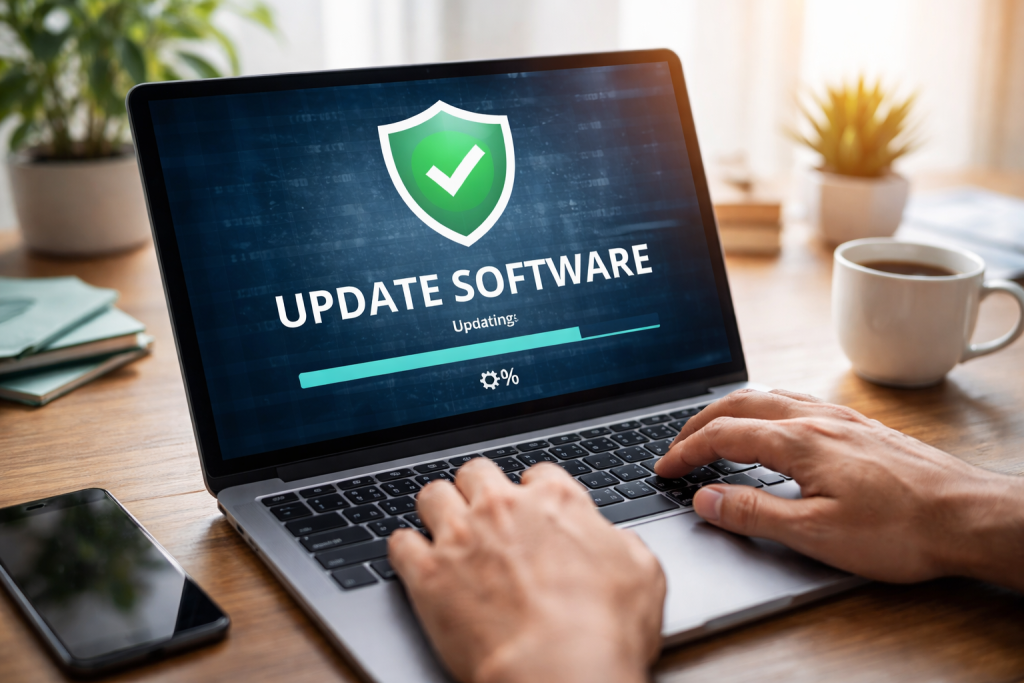
Consider software updates as the digital equivalent of routine checkups for your health. Just as a doctor’s visit can catch potential problems before they become serious, software updates address vulnerabilities and improve performance. Without them, your devices become more susceptible to threats, much like a house with its doors and windows left unlocked.
Contents
- 0.1 Why Updates Matter for Your Devices
- 0.2 The Growing Threat Landscape
- 0.3 Performance Enhancements and Stability
- 0.4 Security Vulnerabilities: Open Doors for Attackers
- 0.5 Malware and Ransomware Risks
- 0.6 System Instability and Performance Degradation
- 0.7 Compliance and Legal Issues
- 0.8 Back Up Your Data Before Updating
- 0.9 Understand the Source of the Update
- 0.10 Review Update Notes
- 0.11 Schedule Updates Wisely
- 0.12 Keep Multiple Devices Updated
- 0.13 Patching Vulnerabilities: Closing the Gaps
- 0.14 Preventing Exploits Before They Happen
- 0.15 The Role of Zero-Day Exploits
- 0.16 Updates and Privacy
- 0.17 Ensure a Stable Internet Connection
- 0.18 Avoid Interrupting the Process
- 0.19 Keep Devices Plugged In
- 0.20 Be Wary of Prompts for Sensitive Information
- 0.21 Understand Rollback Options
- 0.22 Trust Official Channels
- 0.23 Check the Publisher and Digital Signature
- 0.24 Compare Version Numbers and Release Dates
- 0.25 Be Skeptical of Unexpected Prompts
- 0.26 Use Antivirus and Anti-Malware Software
- 0.27 Proactive Defense Against Emerging Threats
- 0.28 Maintaining System Integrity and Confidentiality
- 0.29 Ensuring Compatibility and Functionality
- 0.30 A Crucial Layer in a Multi-Layered Defense
- 1 FAQs
- 1.1 1. Why are regular software updates important for device security?
- 1.2 2. What are the risks of using outdated software?
- 1.3 3. What are the best practices for updating software safely?
- 1.4 4. How can users verify the authenticity of software updates?
- 1.5 5. What role do software updates play in cybersecurity maintenance?
Why Updates Matter for Your Devices
Software, at its core, is a set of instructions that tells your devices what to do. Over time, the creators of this software discover flaws – bugs or security weaknesses – that could be exploited by malicious actors. Updates are released to fix these issues. They are not merely about adding new features, though that is a common byproduct. The primary purpose is to patch holes in your digital armor.
The Growing Threat Landscape
The digital world is a dynamic environment. New forms of malware, viruses, and hacking techniques emerge regularly. Cybercriminals are actively seeking out unpatched systems as easy targets. Imagine a new and more sophisticated burglar alarm system being invented; if you don’t install it on your home, your existing, older system remains vulnerable to the new techniques. Software updates are the digital equivalent of those upgrades, strengthening your defenses against the latest threats.
Performance Enhancements and Stability
Beyond security, updates often bring improvements to how your software runs. They can optimize processes, reduce resource consumption, and fix bugs that cause applications to crash or behave unexpectedly. A well-maintained device, like a well-tuned engine, operates more smoothly and efficiently.
Running outdated software is akin to navigating a minefield without proper training or equipment. The risks are significant and can have far-reaching consequences, from minor inconveniences to major data breaches.
Security Vulnerabilities: Open Doors for Attackers
When a software vendor releases an update to fix a security flaw, they are essentially broadcasting that a weakness existed. Attackers, who are constantly scanning for such flaws, can quickly develop tools to exploit these known vulnerabilities in unpatched systems. This means that if you are running old software, you are essentially advertising an open invitation to cybercriminals.
Malware and Ransomware Risks
Many types of malware, including viruses and ransomware, specifically target known vulnerabilities in outdated operating systems and applications. Ransomware, for instance, encrypts your files and demands payment for their release. If your system is not up-to-date, it becomes a prime target for these destructive programs.
System Instability and Performance Degradation
As software ages and interacts with newer hardware or other updated applications, it can become unstable. You might experience frequent crashes, slow performance, or compatibility issues. This is because the original software was not designed with the conditions of its future, updated environment in mind.
Compliance and Legal Issues
For businesses and organizations, using outdated software can lead to regulatory non-compliance and legal liabilities. Many industry standards and data protection laws require the use of secure and up-to-date systems. Failing to do so can result in hefty fines and reputational damage.
Updating your software is crucial, but doing so carelessly can introduce its own set of problems. Following established best practices ensures that the update process is as secure and smooth as possible.
Back Up Your Data Before Updating
Before embarking on any significant software update, always back up your important data. This is your digital safety net. If an update goes wrong and corrupts your files or system, having a recent backup allows you to restore your data and minimize disruption. Think of it as having a spare tire before a long journey; you hope you won’t need it, but it’s essential to have it ready.
Understand the Source of the Update
Only download software updates directly from the official vendor or through your device’s legitimate update channel. Beware of third-party websites claiming to offer updates, as these can be a conduit for malware. Verifying the authenticity of the update source is paramount.
Review Update Notes
Most software updates come with release notes that detail the changes being made. While not always exciting reading, these notes can provide valuable information about security fixes, bug resolutions, and new features. They can also alert you to potential known issues with the update itself.
Schedule Updates Wisely
For critical updates or operating system upgrades, it’s often best to schedule them during times when you are not actively using your device. Many updates require a restart, which can interrupt your workflow. Planning updates for off-peak hours or overnight can prevent unexpected downtime.
Keep Multiple Devices Updated
It’s not enough to update just one device. Consistent updates across all your digital tools – computers, smartphones, tablets, smart home devices – create a more robust overall security posture. A chain is only as strong as its weakest link; similarly, your digital security is compromised if even one device is left unprotected.
Software updates are fundamentally about security. They are the primary mechanism through which software developers address vulnerabilities and fortify their products against escalating threats. Understanding this core purpose is key to appreciating their importance.
Patching Vulnerabilities: Closing the Gaps
The majority of software updates are designed to “patch” security vulnerabilities. These vulnerabilities are weaknesses in the code that could be exploited by attackers to gain unauthorized access to your device, steal data, or install malicious software. Think of a software update as patching a hole in your digital wall, preventing unwelcome intruders from entering.
Preventing Exploits Before They Happen
When a security researcher or the software vendor discovers a vulnerability, they work to develop a fix. This fix, delivered through an update, aims to close that specific security gap before malicious actors can develop and deploy exploits that take advantage of it. It’s a proactive measure to stay ahead of potential attacks.
The Role of Zero-Day Exploits
While updates address known vulnerabilities, there’s also the concept of “zero-day exploits.” These are attacks that target vulnerabilities that are unknown to the software vendor, meaning no patch exists. However, even in such scenarios, having your software otherwise up-to-date reduces the overall attack surface and makes it harder for attackers to succeed. A house that is well-maintained and has a strong primary lock is still a harder target, even if a new, unaddressed lock-picking technique emerges.
Updates and Privacy
Beyond immediate security threats, software updates can also enhance privacy features. Developers may update software to improve data handling practices, provide more transparency in how your data is used, or offer new privacy controls. These updates contribute to a more secure and private digital experience.
The update process itself, while often straightforward, can present moments of increased risk. Employing a few simple precautions can significantly enhance the security of your devices during this period.
Ensure a Stable Internet Connection
A stable and secure internet connection is vital during the download and installation of software updates. An unstable connection can lead to corrupted downloads, incomplete installations, or interruptions that leave your system in an unsecure state. Imagine trying to transport delicate goods across a bumpy, unpaved road; it increases the risk of damage. A stable connection is your smooth, highway.
Avoid Interrupting the Process
Once an update has begun, it’s crucial to avoid interrupting it. This means refraining from powering off your device, closing the application prematurely, or disconnecting from the internet unless specifically instructed to do so by the update process. Interrupting an update can leave your software in a half-finished, potentially vulnerable state.
Keep Devices Plugged In
For updates that require a restart or take a significant amount of time, it’s advisable to keep your device plugged into a power source. This prevents a sudden power loss from interrupting the update process, which, as mentioned, can lead to serious issues.
Be Wary of Prompts for Sensitive Information
During official software updates, you should not be prompted to enter sensitive information like passwords or financial details beyond what is necessary for system authentication. Any request for such information outside of the standard update prompts should be treated with extreme suspicion.
Understand Rollback Options
Some operating systems and applications offer a “rollback” option, allowing you to revert to a previous version if an update causes problems. Familiarize yourself with this feature if available, as it can be a lifesaver in case of unexpected issues.
Ensuring that the update you are installing is legitimate and comes directly from the software provider is a critical step in protecting your devices. Malicious actors can create fake update packages designed to trick users into installing malware.
Trust Official Channels
The most secure way to receive software updates is through the built-in update mechanisms of your operating system or applications. For example, Windows Update, macOS App Store updates, and the update features within mobile apps on Google Play or Apple’s App Store are designed to deliver verified software.
Check the Publisher and Digital Signature
When an update is downloaded, especially for desktop applications, the operating system often displays information about the publisher and a digital signature. This signature is a cryptographic seal of authenticity. If you are familiar with the software vendor, verify that the publisher listed matches the legitimate vendor. Most operating systems will flag if a digital signature is missing or invalid.
Compare Version Numbers and Release Dates
If you are downloading an update manually from a vendor’s website (which should generally be a secondary option to built-in updates), compare the version number and release date of the update with those listed on the official website. Discrepancies can indicate a fake update.
Be Skeptical of Unexpected Prompts
If you suddenly receive a pop-up or email claiming your software is outdated and prompting you to download an update immediately, exercise caution. Legitimate software vendors typically notify you of updates through their official channels or within the application itself, not through unsolicited messages.
Use Antivirus and Anti-Malware Software
Reputable antivirus and anti-malware programs can often detect and block fake update installers. Ensure your security software is up-to-date and actively running.
Software updates are not a one-time fix; they are an ongoing and fundamental component of maintaining robust cybersecurity. They represent a continuous effort to adapt to an ever-evolving threat landscape.
Proactive Defense Against Emerging Threats
As new vulnerabilities are discovered and new cyber threats emerge, software updates are the primary tool for defense. By regularly applying these updates, you are proactively patching potential weaknesses before they can be exploited by attackers. It’s like constantly reinforcing the perimeter of a fort as new siege weapons are invented.
Maintaining System Integrity and Confidentiality
Beyond preventing external attacks, updates also contribute to the overall integrity and confidentiality of your data. They can fix bugs that might lead to data corruption or unauthorized access from within the system.
Ensuring Compatibility and Functionality
While the focus is often on security, updates also ensure that your software remains compatible with other systems and hardware, and that it continues to function as intended. This broader aspect of maintenance contributes to a stable and secure digital environment.
A Crucial Layer in a Multi-Layered Defense
Cybersecurity is rarely about a single solution. It involves a combination of strong passwords, secure network configurations, user awareness training, and, critically, up-to-date software. Software updates are a foundational layer in this multi-layered defense strategy. Neglecting them creates a significant gap that even the strongest other defenses may not be able to bridge.
In conclusion, embracing regular software updates is not an optional task but a necessary habit for anyone who uses digital devices. By understanding their importance, following safe practices, and verifying their authenticity, you significantly strengthen your defenses and contribute to a more secure digital world.
FAQs
1. Why are regular software updates important for device security?
Regular software updates are important for device security because they often contain patches for known vulnerabilities and security flaws. By keeping your software up to date, you can protect your devices from potential cyber attacks and unauthorized access.
2. What are the risks of using outdated software?
Using outdated software poses several risks, including increased vulnerability to cyber attacks, malware infections, and data breaches. Outdated software may lack important security patches and updates, leaving your devices and personal information at risk.
3. What are the best practices for updating software safely?
To update software safely, it is important to download updates only from official sources, such as the software developer’s website or authorized app stores. Additionally, it is recommended to back up your data before performing any software updates to prevent data loss in case of any issues during the update process.
4. How can users verify the authenticity of software updates?
Users can verify the authenticity of software updates by checking for digital signatures from the software developer. Digital signatures ensure that the update has not been tampered with and comes from a trusted source. It is also important to be cautious of phishing attempts and only download updates from reputable sources.
5. What role do software updates play in cybersecurity maintenance?
Software updates play a crucial role in cybersecurity maintenance by addressing known vulnerabilities and security weaknesses in software. By regularly updating software, users can strengthen their device’s security posture and reduce the risk of falling victim to cyber attacks and malware.

At SecureByteHub, we are passionate about simplifying cybersecurity and technology for everyone. Our goal is to provide practical, easy-to-understand guides that help individuals, students, and small businesses stay safe in the digital world. From online security tips to the latest tech insights, we aim to empower our readers with knowledge they can trust