
The Ultimate Guide to Protecting Your Identity Online
In the digital era, your personal information is a valuable commodity. Safeguarding it is essential to prevent financial loss, reputational damage, and identity theft. This guide outlines the risks and provides practical steps to enhance your online security.
The internet, while a powerful tool for connection and information, also presents numerous threats to your personal data. Think of your online identity as your digital fingerprint—it’s unique and, once compromised, can be difficult to reclaim.
Contents
- 0.1 The Landscape of Online Threats
- 0.2 The Impact of Identity Theft
- 0.3 Best Practices for Creating Strong and Secure Passwords
- 0.4 Avoiding Common Pitfalls
- 0.5 How Phishing Scams Work
- 0.6 Common Types of Phishing
- 0.7 The Importance of Regular Vigilance
- 0.8 Practical Steps for Monitoring
- 0.9 How 2FA Works
- 0.10 Enhancing Your Online Security
- 0.11 The Risks of Oversharing
- 0.12 Best Practices for Social Media Use
- 0.13 How VPNs Enhance Privacy
- 0.14 When to Use a VPN
- 1 FAQs
- 1.1 1. What are the risks of not protecting your identity online?
- 1.2 2. How can I create strong and secure passwords?
- 1.3 3. What are phishing scams, and how can I recognize and avoid them?
- 1.4 4. Why is it important to regularly monitor your online accounts?
- 1.5 5. How does two-factor authentication enhance online security?
The Landscape of Online Threats
Cybercriminals are constantly evolving their methods. They seek access to your sensitive data for various reasons, including financial gain, fraud, and espionage. These threats can manifest in several forms, each with its modus operandi.
Malware and Viruses
Malware, short for “malicious software,” is designed to infiltrate your devices without your knowledge. Malware, which includes viruses, worms, ransomware, and spyware, can steal data, disrupt operations, or even hold your files hostage. They often spread through infected downloads, email attachments, or compromised websites.
Data Breaches
Companies and organizations that store your personal information are targets for hackers. When these entities suffer a data breach, your details—such as your name, address, email, and financial information—can be exposed to the public or sold on the dark web. This can happen even if you are careful with your own online habits.
Social Engineering
This refers to the psychological manipulation of people into performing actions or divulging confidential information. Phishing and pretexting are common forms of social engineering. Attackers exploit human trust and our desire to be helpful to gain unauthorized access.
The Impact of Identity Theft
Identity theft occurs when someone steals your personal information and uses it to impersonate you. The consequences can be far-reaching and devastating.
Financial Ramifications
Stolen financial details can lead to unauthorized credit card charges, fraudulent loans taken out in your name, and depletion of your bank accounts. Reclaiming your financial standing after identity theft can be a lengthy and arduous process, involving extensive paperwork and communication with financial institutions.
Reputational Damage
If an identity thief commits crimes using your name, your reputation can be severely tarnished. This can impact future job prospects, loan applications, and even personal relationships. Clearing your name from false records is a complex undertaking.
Emotional and Psychological Toll
The stress, anxiety, and frustration associated with identity theft are significant. Victims often experience a profound sense of violation and insecurity. The constant need to monitor accounts and deal with fraudulent activity can be emotionally draining.
Your passwords are the primary locks on your digital doors. Weak passwords are like leaving your keys under the doormat—an open invitation for trouble.
Best Practices for Creating Strong and Secure Passwords
A strong password is not just a sequence of letters. It’s a robust barrier designed to resist automated cracking attempts.
Complexity and Length
Aim for passwords that are at least 12 characters long. Longer passwords exponentially increase the difficulty for brute-force attacks, where software tries every possible combination. Incorporate a mix of uppercase and lowercase letters, numbers, and symbols. Avoid common words, names, dates, or easily guessable patterns like “123456” or “password.” Think of a memorable phrase and use the first letter of each word, replacing some letters with numbers and symbols. For example, “My favorite book is Harry Potter and the Sorcerer’s Stone” could become “MfBiHP&tSS!”.
Uniqueness Across Accounts
Never reuse passwords across different online services. If one account is compromised, all accounts using that same password become vulnerable. Imagine using the same key for your house, car, and office—a single lost key compromises everything. Each online service warrants its own unique digital key.
Password Managers
Password managers are applications that securely store and generate complex, unique passwords for all your online accounts. You only need to remember one master password to access the manager. These tools can auto-fill login credentials, saving you time and reducing the temptation to use weak or repeated passwords. They act as your secure vault for all your digital keys.
Avoiding Common Pitfalls
Certain password habits can inadvertently weaken your defenses.
Predictable Patterns
Avoid using personal information like your birthday, pet’s name, or address. Hackers often try these common details first. Similarly, avoid sequential characters (“abc,” “123”) or keyboard patterns (“qwerty”).
Obvious Substitutions
Simply replacing letters with numbers (e.g., “apple” to “4pple”) is a weak security measure. Modern cracking tools can easily decipher these common substitutions. Aim for more creative and less obvious combinations.
Phishing scams are a common and effective method used by cybercriminals to trick you into revealing sensitive information. They prey on your trust and urgency.
How Phishing Scams Work
Attackers impersonate legitimate entities, such as banks, online retailers, or government agencies, to deceive you. They typically do this through emails, text messages, or fake websites.
The Art of Deception
Phishing attempts often create a sense of urgency, prompting immediate action. Emails might claim your account has been compromised, requiring you to “verify” your details, or offer a limited-time prize that needs immediate claiming. The language used might be slightly off, with grammatical errors or an unusual tone.
Identifying Red Flags
Be wary of unsolicited emails or messages asking for personal information like passwords, credit card numbers, or social security numbers. Look for generic greetings instead of your name, misspellings, and poor grammar. Hover your mouse over links without clicking to see the actual URL—if it doesn’t match the supposed sender’s website, it’s likely a scam.
Common Types of Phishing
Understanding the variations helps you stay vigilant.
Email Phishing
This is the most prevalent form, where attackers send deceptive emails designed to look like they come from a trusted source.
Spear Phishing
A more targeted attack, spear phishing involves customized emails or messages tailored to specific individuals or organizations. Attackers research their targets to make the deception more convincing. For example, an email might reference a specific project or colleague.
Smishing
This is phishing conducted via SMS text messages. Similar to email phishing, it uses urgent requests or tempting offers to lure victims into clicking malicious links or providing information.
Vishing
This occurs through phone calls, where attackers impersonate legitimate representatives to extract information. They might claim to be from your bank or a tech support company.
Regularly reviewing your online accounts is akin to checking the locks on your doors and windows each day. It’s a proactive measure to catch any unauthorized activity before it escalates.
The Importance of Regular Vigilance
Many people only check their bank statements occasionally or when they suspect an issue. This passive approach can allow fraudulent activity to go unnoticed for extended periods.
By reviewing your bank statements, credit card bills, and online account activity regularly, you can spot any transactions or changes you don’t recognize. Early detection is crucial for limiting financial losses and resolving the issue promptly.
Reclaiming Control
Discovering unauthorized activity on your accounts can be alarming. However, the sooner you identify it, the more effectively you can act to secure your accounts, report the fraud, and begin the process of recovery. This proactive stance helps you regain control over your digital presence.
Practical Steps for Monitoring
Make account monitoring a routine part of your digital life.
Financial Accounts
Review bank and credit card statements at least weekly. Many institutions offer real-time alerts for transactions, which can be invaluable. Set up notifications for any activity exceeding a certain amount or for unusual login attempts.
Social Media and Email Accounts
Periodically check login history for your social media and email accounts. Look for any unrecognized devices or locations from which your accounts have been accessed. Change your passwords immediately if you find any suspicious activity.
Other Online Services
Set reminders to check the activity logs of other important online services, such as online shopping accounts, investment platforms, or any service that stores your personal or financial details.
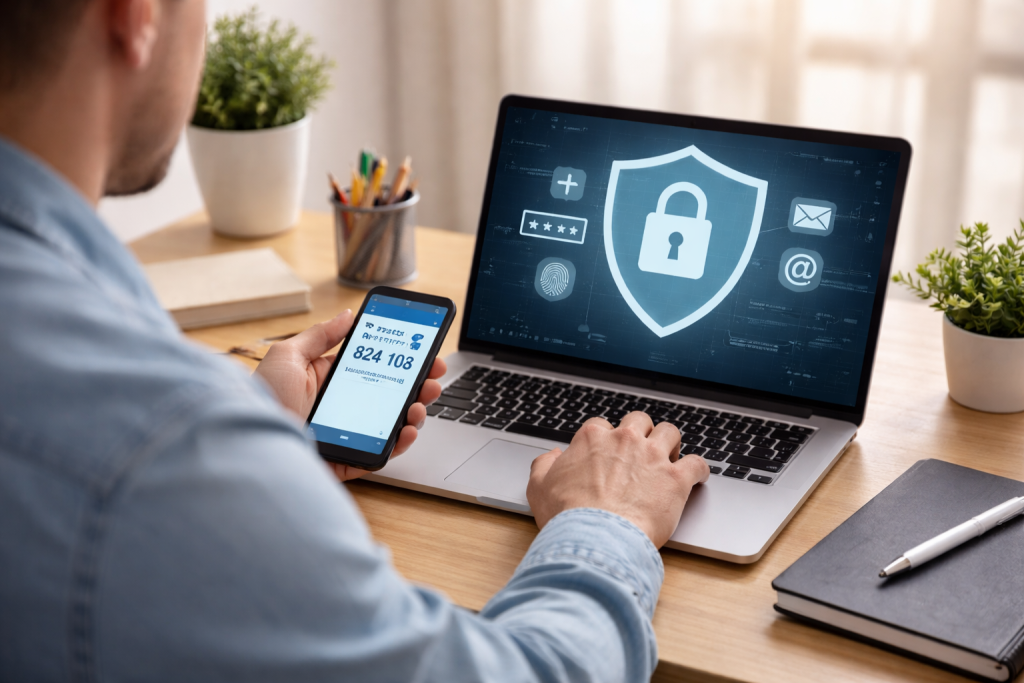
Two-factor authentication adds a crucial layer of security to your online accounts, making it significantly harder for unauthorized individuals to gain access. It’s like having a second lock on your door that requires a different type of key.
How 2FA Works
2FA requires you to provide two different types of credentials to verify your identity when logging in. This typically involves something you know (your password) and something you have (a code from your phone).
The Knowledge Factor
This is your password, the first barrier to entry.
The Possession Factor
This is usually a code sent to your registered mobile device via SMS or generated by an authentication app. Some systems use a fingerprint or facial scan as the second factor.
Enhancing Your Online Security
Implementing 2FA across your most important accounts is one of the most effective steps you can take to protect yourself.
Widely Available and Effective
Most major online services, including email providers, social media platforms, and financial institutions, now offer 2FA. Enabling it significantly reduces the risk of account takeover, even if your password is compromised.
Types of 2FA
- SMS-Based Codes: Codes are sent to your phone via text message. While convenient, it’s important to be aware of potential SIM-swapping attacks, where a scammer can trick your mobile carrier into transferring your number to their device.
- Authenticator Apps: Applications like Google Authenticator or Authy generate time-based one-time passcodes (TOTP) on your device. These are generally considered more secure than SMS codes, as they don’t rely on the mobile network.
- Hardware Security Keys: These are physical devices that plug into your computer or connect wirelessly, providing the strongest form of 2FA. They are highly resistant to phishing and remote attacks.
Social media platforms are designed for sharing, but this openness can be exploited if you’re not careful. Your personal information shared online can become a treasure trove for those with malicious intent.
The Risks of Oversharing
The details you share on social media can inadvertently provide clues to attackers, helping them to guess passwords, answer security questions, or even orchestrate more sophisticated attacks.
Protecting Against Social Engineering
Information like your mother’s maiden name, the name of your first pet, or the street you grew up on is often used as security questions. Sharing these details publicly online makes it easier for attackers to access your accounts if they ever get compromised.
Geotagging and Location Data
Sharing your real-time location can alert potential burglars to when your home is unoccupied or reveal your daily routines, making you a more predictable target. Be mindful of where photos are taken and if location services are enabled.
Best Practices for Social Media Use
Develop responsible habits to keep your personal information private.
Review Privacy Settings
Regularly check and adjust the privacy settings on all your social media accounts. Understand who can see your posts, photos, and personal information. Limit visibility to your trusted network of friends and family.
Be Mindful of What You Post
Think twice before posting sensitive information. Avoid sharing details about your finances, travel plans, or personal whereabouts in real time. Consider the long-term implications of what you share; that post from years ago could still be accessible.
Limit Connection Requests
Be selective about accepting friend or connection requests. Only connect with people you know and trust in real life. Unsolicited requests can be a gateway for scammers or malicious actors.
A Virtual Private Network (VPN) acts as a private tunnel for your internet traffic, encrypting your data and masking your IP address. This makes it much harder for third parties to track your online activities and potentially access your sensitive information.
How VPNs Enhance Privacy
When you connect to a VPN server, your internet traffic is routed through that server. This process offers several layers of protection.
Data Encryption
The VPN encrypts the data sent between your device and the VPN server. This scrambles your information, making it unreadable to anyone who might intercept it, such as your Internet Service Provider (ISP) or hackers on public Wi-Fi networks.
IP Address Masking
Your IP address is like your digital home address. A VPN replaces your actual IP address with the IP address of the VPN server you are connected to. This makes it difficult to trace your online activities back to you.
When to Use a VPN
Using a VPN can significantly improve your security and privacy in various situations.
On Public Wi-Fi
Public Wi-Fi networks, found in coffee shops, airports, and hotels, are notoriously insecure. Hackers can easily set up fake hotspots or intercept data on these networks. A VPN encrypts your connection, protecting you from such threats.
For Enhanced Online Anonymity
While not a tool for illegal activities, a VPN can provide a greater degree of anonymity online by masking your IP address and preventing ISPs from easily tracking your browsing habits.
Protection Against Online Tracking
Many websites and advertisers track your online behavior using your IP address. A VPN can help to obscure this tracking, contributing to a more private browsing experience.
By understanding the risks, implementing strong security practices, and staying vigilant, you can build a robust defense for your digital identity. Your online presence is an extension of your real-world self, and protecting it is a vital aspect of modern living.
FAQs
1. What are the risks of not protecting your identity online?
The risks of not protecting your identity online include identity theft, financial fraud, unauthorized access to personal information, and potential damage to your reputation. Hackers and cybercriminals can use stolen personal information to commit various crimes, leading to significant financial and emotional consequences for the victim.
2. How can I create strong and secure passwords?
To create strong and secure passwords, use a combination of uppercase and lowercase letters, numbers, and special characters. Avoid using easily guessable information such as your name, birthdate, or common words. It’s also important to use unique passwords for each of your online accounts and consider using a reputable password manager to securely store and manage your passwords.
3. What are phishing scams, and how can I recognize and avoid them?
Phishing scams are fraudulent attempts to obtain sensitive information, such as usernames, passwords, and credit card details, by disguising as a trustworthy entity in electronic communication. To recognize and avoid phishing scams, be cautious of unsolicited emails, messages, or phone calls asking for personal information. Verify the legitimacy of the request by contacting the organization directly through official channels.
4. Why is it important to regularly monitor your online accounts?
Regularly monitoring your online accounts allows you to detect any unauthorized activity or suspicious transactions promptly. By reviewing your account statements, monitoring your credit report, and setting up account alerts, you can identify and address any potential security breaches or fraudulent activities before they escalate.
5. How does two-factor authentication enhance online security?
Two-factor authentication adds an extra layer of security to your online accounts by requiring a second form of verification, such as a temporary code sent to your mobile device, in addition to your password. This significantly reduces the risk of unauthorized access, even if your password is compromised. It’s an effective way to protect your accounts from unauthorized access.

At SecureByteHub, we are passionate about simplifying cybersecurity and technology for everyone. Our goal is to provide practical, easy-to-understand guides that help individuals, students, and small businesses stay safe in the digital world. From online security tips to the latest tech insights, we aim to empower our readers with knowledge they can trust