
Stay Safe Online: Understanding and Avoiding App Permissions Risks
Applications on smart devices often request access to certain functions or data on your device. This access is managed through what are known as app permissions. Understanding these permissions is a crucial step in protecting your personal information and maintaining your digital security. When an app asks for permission, it’s essentially asking for a key to a specific room in your device’s house. You have the power to grant or deny these keys, and choosing wisely is essential.
App permissions are the specific authorizations that an application needs to interact with your device’s hardware, operating system features, or personal data. Think of your smartphone or tablet as a toolbox. Each tool within that toolbox – the camera, microphone, GPS, contacts list, storage – is a resource. An app may need to use some of these tools to function correctly. For example, a photo editing app needs access to your camera and storage to take and save pictures. A navigation app requires GPS access to provide directions and know your location.
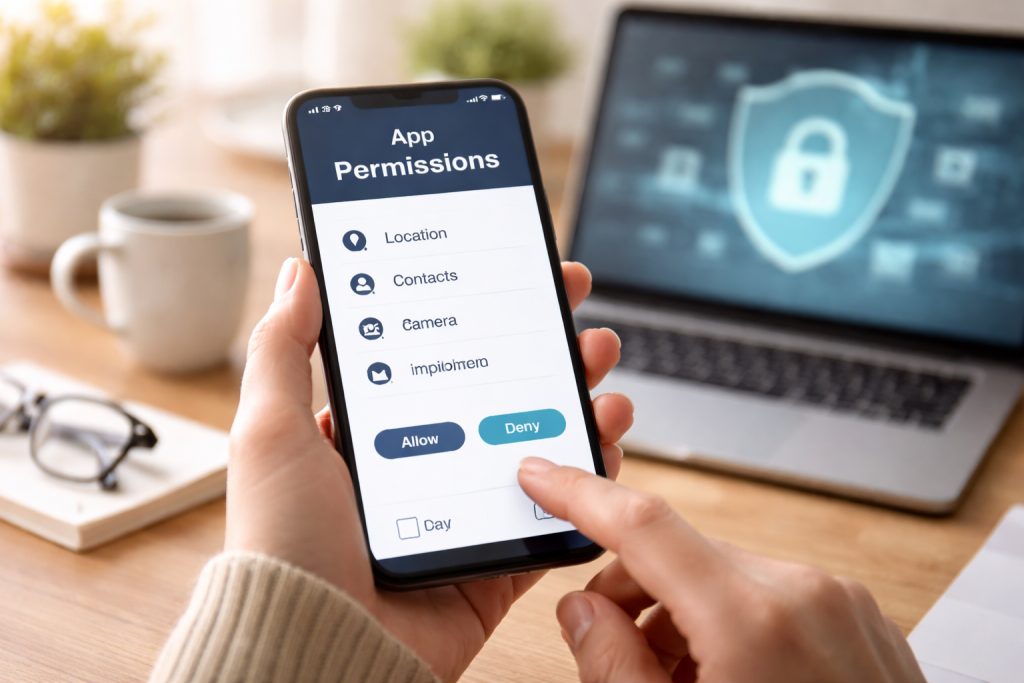
These permissions are designed to allow apps to provide useful functionality. However, the same permissions can also be exploited if an app is malicious or if the user grants unnecessary access. The operating system of your device, whether it’s Android or iOS, acts as a gatekeeper, presenting these permission requests to you. Users are then given the choice to approve or deny these requests. This granular control is a fundamental security feature. Without permissions, apps would be islands, unable to perform many of the tasks that make them valuable. But with permissions, the potential for misuse arises, much like giving a stranger the keys to every room in your house without knowing their intentions.
Contents
- 0.1 Types of App Permissions
- 0.1.1 Device and App History
- 0.1.2 Calendar
- 0.1.3 Call Logs
- 0.1.4 Contacts
- 0.1.5 Camera
- 0.1.6 Body Sensors
- 0.1.7 Cellular
- 0.1.8 Calendar
- 0.1.9 Call Logs
- 0.1.10 Contacts
- 0.1.11 Camera
- 0.1.12 Body Sensors
- 0.1.13 Cellular
- 0.1.14 Location
- 0.1.15 Microphone
- 0.1.16 Phone
- 0.1.17 Photos and Videos
- 0.1.18 SMS (Short Message Service)
- 0.1.19 Storage
- 0.2 Understanding the Risks of App Permissions
- 0.3 How to Avoid App Permissions Risks
- 0.4 Common App Permissions to Be Cautious Of
- 0.5 Tips for Safely Managing App Permissions
- 0.6 The Importance of Regularly Reviewing App Permissions
- 0.7 Best Practices for Protecting Your Privacy Online
- 1 FAQs
Types of App Permissions
App permissions can be broadly categorized by the type of access they grant. They range from relatively harmless requests, like accessing the internet for updates, to highly sensitive ones, such as reading your text messages or tracking your location constantly.
Device and App History
This permission allows an app to access information about which other applications you have recently used and their activity. This can be used for app performance analysis or to offer contextual suggestions, but it can also reveal your usage patterns.
Calendar
Granting calendar permission allows an app to access your scheduled events, appointments, and reminders. This is useful for apps that manage your schedule or integrate with calendar services, but it could expose sensitive personal or professional commitments.
Call Logs
Apps with access to your call logs can view your incoming, outgoing, and missed calls. This is sometimes used by security apps or those that offer call management features, but it can also be used to track your communication habits.
Contacts
This permission provides an app with access to your entire contacts list, including names, phone numbers, email addresses, and other details. Many social networking or communication apps require this to find friends, but it’s a significant privacy concern if granted to unrelated applications.
Camera
Allowing an app to access your camera means it can take photos or record videos using your device’s camera. Essential for photography apps, video conferencing, and some augmented reality experiences, but a significant risk if misused by a malicious app.
Body Sensors
This permission enables an app to access data from your device’s sensors that may relate to your physical health, such as heart rate monitors or step counters. Fitness and health tracking apps commonly use this.
Cellular
This permission allows an app to gather information about your device’s cellular network connectivity, such as signal strength and network type.
Calendar
Granting calendar permission allows an app to access your scheduled events, appointments, and reminders. This is useful for apps that manage your schedule or integrate with calendar services, but it could expose sensitive personal or professional commitments.
Call Logs
Apps with access to your call logs can view your incoming, outgoing, and missed calls. This is sometimes used by security apps or those that offer call management features, but it can also be used to track your communication habits.
Contacts
This permission provides an app with access to your entire contacts list, including names, phone numbers, email addresses, and other details. Many social networking or communication apps require this to find friends, but it’s a significant privacy concern if granted to unrelated applications.
Camera
Allowing an app to access your camera means it can take photos or record videos using your device’s camera. Essential for photography apps, video conferencing, and some augmented reality experiences, but a significant risk if misused by a malicious app.
Body Sensors
This permission enables an app to access data from your device’s sensors that may relate to your physical health, such as heart rate monitors or step counters. Fitness and health tracking apps commonly use this.
Cellular
This permission allows an app to gather information about your device’s cellular network connectivity, such as signal strength and network type.
Location
Location permissions grant an app access to your device’s geographical position, which can be determined through GPS, Wi-Fi, and cellular network information. Apps need this for navigation, weather updates, and location-based services, but continuous location access can reveal your daily movements.
Microphone
With microphone permission, an app can record audio using your device’s microphone. This is necessary for voice command apps, voice notes, and communication apps, but it can be used for surreptitious surveillance.
Phone
This broad permission allows an app to perform various phone-related actions, such as making calls, reading your phone’s state and identity, and accessing call history. It is often needed for apps that manage calls or provide caller ID services.
Photos and Videos
This permission allows an app to access and manage your photos and videos stored on your device. It’s necessary for gallery apps and photo editors, but can be a privacy risk if an app can view or modify all your stored media.
SMS (Short Message Service)
Granting SMS permission allows an app to read, send, and receive text messages. This is a very sensitive permission, typically required by messaging apps or for two-factor authentication, and should be scrutinized carefully.
Storage
Storage permission grants an app access to your device’s internal or external storage, allowing it to read, write, and delete files. While many apps need this to save data or download content, it can give an app broad control over your files if granted excessively.
Understanding the Risks of App Permissions
The core of app permission risk lies in the potential for an application to collect, use, or share your personal data in ways you did not intend or consent to. When you grant an app permissions, you are essentially opening a door. If that door leads to sensitive data, a breach of privacy can occur.
Data Collection and Profiling
Apps with broad permissions can collect a vast amount of information about you. This data can include your location history, browsing habits, contacts, communication patterns, and even your physical activity. This information can be used to build a detailed profile of your life, which can then be sold to third-party advertisers or data brokers. This is akin to leaving a detailed diary on your doorstep for anyone to read and record.
Security Vulnerabilities
Some apps may have security flaws that can be exploited by malicious actors. If such an app has been granted extensive permissions, it can become a gateway for attackers to access your device and data. Imagine a safe with a weak lock; if the safe holds important documents, a compromised lock means those documents are exposed.
Unwanted Advertising and Spam
Apps that have access to your contacts or SMS can be used to send unsolicited marketing messages or spam to your contacts. This can damage your reputation and annoy people in your network.
Identity Theft and Financial Fraud
In the most severe cases, apps that gain access to sensitive information like banking details, login credentials, or personal identification can be used for identity theft or financial fraud. This is like handing over the keys to your bank account along with the keys to your house.
Surveillance and Tracking
Permissions like location and microphone access can be misused for constant surveillance and tracking. This means your movements and conversations could be monitored without your knowledge, a significant invasion of privacy.
How to Avoid App Permissions Risks
Proactively managing app permissions is the most effective way to mitigate risks. This involves a combination of careful app selection, informed decision-making during installation, and regular review of granted permissions.
Scrutinize Permission Requests
When an app requests a permission, take a moment to consider why it needs it. Does the requested permission align with the app’s stated purpose? For example, a calculator app should not need access to your microphone or contacts. If a request seems unusual or excessive, it’s a red flag.
Install Apps from Trusted Sources
Download applications only from official app stores like the Google Play Store or Apple App Store. These stores have review processes, though they are not foolproof. Avoid downloading apps from third-party websites or unverified sources, as these are more likely to contain malware.
Read App Reviews and Privacy Policies
Before installing an app, read user reviews. Look for comments that mention privacy concerns or suspicious behavior. While privacy policies can be lengthy, try to skim them for information on how your data will be collected and used.
Grant Permissions on a ‘Need-to-Know’ Basis
Only grant permissions that are essential for the app’s core functionality. If an app offers a feature without requiring certain permissions, it’s often better to decline them. You can often re-enable permissions later if you find they are truly necessary.
Understand Foreground vs. Background Access
Pay attention to whether an app requests permissions to run only when you are actively using it (foreground) or all the time, even when it’s not open (background). For example, a navigation app might need background location access to guide you even when you’re not looking at the screen, but a game likely does not.
Common App Permissions to Be Cautious Of
Certain app permissions carry higher risks due to the sensitive nature of the data or functionality they access. Being particularly vigilant about these can significantly enhance your privacy.
Location Access
Location data can reveal where you live, work, visit, and your daily routines. Granting constant access to location is a significant privacy concern unless absolutely necessary for the app’s core function, like a navigation app actively guiding you.
Microphone and Camera Access
These permissions allow an app to see and hear what’s happening around your device. Malicious apps could use these for covert surveillance. Unless the app’s primary purpose is recording audio or video (e.g., a voice recorder or camera app), be extremely cautious.
Contacts Access
Your contacts list often contains personal information about you and your acquaintances. Apps that request this permission should be thoroughly vetted to ensure they have a legitimate need, such as a messaging app to find friends.
SMS Access
The ability to read and send text messages is highly sensitive. This permission should only be granted to trusted messaging applications or services that you explicitly use for SMS management or two-factor authentication.
Phone State and Identity
Permissions that allow an app to read your phone’s state or identity can potentially collect information like your phone number, network information, and whether you are on a call. This can be used to track or identify your device.
Storage Access
While many apps need some level of storage access to function, be wary of apps that request full read/write access to all files on your device, especially if their function doesn’t warrant it. This can give them a free hand to access and modify any data.
Tips for Safely Managing App Permissions
Regularly reviewing and managing the permissions you’ve granted to apps is a vital part of maintaining your digital hygiene. It’s not a one-time task but an ongoing process.
Disable Unused App Permissions
Periodically go through your device’s settings and review all installed applications. For any app you no longer use frequently or one whose permissions seem unnecessary, revoke or disable those permissions. It’s like cleaning out clutter from your digital house.
Utilize Granular Permission Controls
Modern operating systems offer granular control over many permissions. For example, you might be able to grant location access only “while using the app” rather than “always.” Choose the most restrictive option that still allows the app to function as needed.
Understand the Implications of Each Permission
Take the time to understand what each permission truly means and what kind of data it allows an app to access. Don’t just click “allow” to bypass a prompt. Knowledge is your shield in the digital world.
Reset App Permissions
Most mobile operating systems allow you to reset all app permissions to their default state. This can be a useful step if you suspect a widespread issue or want to start fresh with a cleaner slate. You will then be prompted to grant permissions again as needed for each app.
Be Wary of Permission Bundles
Some apps might bundle multiple permissions together, asking for them all at once. If one of those permissions seems suspicious, it might be a sign to reconsider installing the app altogether.
The Importance of Regularly Reviewing App Permissions
Think of your app permissions as a garden. If left unattended, weeds can grow, and certain plants might outgrow their boundaries. Regularly reviewing app permissions is akin to tending your garden to ensure everything is healthy and in its proper place.
Evolving App Functionality
App developers often update their applications, sometimes adding new features that may require new permissions. A review ensures that you are aware of and consent to any changes in what an app can access.
Identifying Malicious or Misbehaving Apps
Over time, an app that was once reputable might change its practices, or you might inadvertently install an app with hidden intentions. Regular reviews can help you spot apps that are exhibiting unusual behavior or requesting permissions they never needed before.
Maintaining Control Over Your Data
Your personal data is valuable. Regularly reviewing permissions empowers you to maintain control over who has access to it and how it is being used, preventing unauthorized data collection.
Adapting to New Threats
The landscape of online threats is constantly evolving. Staying vigilant with your app permissions is a proactive measure against emerging security risks and privacy breaches.
Best Practices for Protecting Your Privacy Online
Beyond managing app permissions, adopting a holistic approach to online privacy is essential in today’s interconnected world. App permissions are one piece of a larger puzzle.
Use Strong, Unique Passwords
This is foundational. Use a different, complex password for each online account. Consider using a password manager to generate and store them securely. A strong password is like a well-fortified door to your digital home.
Enable Two-Factor Authentication (2FA)
Wherever possible, enable 2FA on your accounts. This adds an extra layer of security, requiring more than just your password to log in, often a code sent to your phone or generated by an authenticator app. It’s like having a second lock on your door.
Be Cautious of Public Wi-Fi
Public Wi-Fi networks can be unsecured and vulnerable to eavesdropping. Avoid accessing sensitive accounts or making financial transactions when connected to public Wi-Fi. If you must use it, consider a Virtual Private Network (VPN).
Understand Privacy Settings on Social Media
Social media platforms offer a myriad of privacy settings. Take the time to configure them to your comfort level, controlling who can see your posts, profile information, and connection.
Keep Your Software Updated
Operating system updates and app updates often include critical security patches. Regularly update your device and all your applications to protect against known vulnerabilities.
Think before you post. Information shared online can be permanent and widely accessible. Avoid sharing sensitive personal details that could be used against you. Your online sharing habits are like leaving a trail; be aware of where it leads.
By understanding app permissions, vigilantly managing them, and adopting broader online privacy practices, you can significantly enhance your digital security and protect your personal information from unwanted access and misuse. This proactive approach transforms you from a passive user into an informed guardian of your own digital life.
FAQs
1. What are app permissions?
App permissions are settings on your mobile device that allow apps to access certain features or information. These permissions can include access to your camera, microphone, contacts, location, and more.
2. Understanding the risks of app permissions
Granting excessive app permissions can pose risks to your privacy and security. Apps with access to sensitive information can potentially misuse or mishandle that data, leading to identity theft, fraud, or unauthorized surveillance.
3. How to avoid app permissions risks
To avoid app permissions risks, it’s important to carefully review and consider the permissions requested by each app before granting access. Additionally, regularly updating your apps and operating system can help mitigate security vulnerabilities.
4. Common app permissions to be cautious of
Some common app permissions to be cautious of include access to your location, contacts, camera, microphone, and personal data such as photos and messages. These permissions can potentially be exploited by malicious actors if not properly managed.
5. Tips for safely managing app permissions
Safely managing app permissions involves being selective about which permissions you grant to each app, regularly reviewing and adjusting permissions as needed, and uninstalling apps that request unnecessary or excessive access to your personal data. Regularly reviewing and updating app permissions is crucial for protecting your privacy and security online.

At SecureByteHub, we are passionate about simplifying cybersecurity and technology for everyone. Our goal is to provide practical, easy-to-understand guides that help individuals, students, and small businesses stay safe in the digital world. From online security tips to the latest tech insights, we aim to empower our readers with knowledge they can trust