
Stay Safe Online: Tips for Recognizing and Avoiding Scam Websites
Online scams are a persistent threat, and understanding how to identify and avoid them is crucial for safe internet use. Scam websites are designed to deceive individuals, often with the goal of stealing personal information or financial assets. This article will outline the risks, common tactics, and preventative measures you can take to protect yourself.
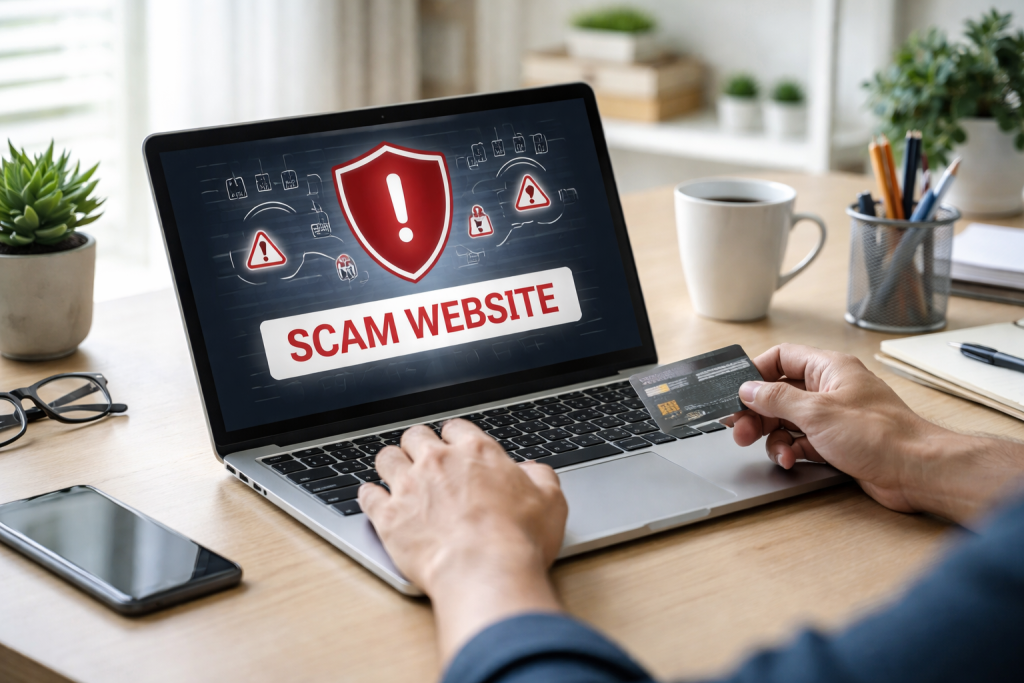
The digital landscape, while offering vast opportunities, also harbors pitfalls in the form of scam websites. These sites operate like a mirage in the desert, promising something desirable but leading to an empty, or worse, damaging outcome. The primary risk associated with encountering scam websites is the potential loss of sensitive data. This includes financial details like credit card numbers and bank account information, as well as personal identifiers such as passwords, social security numbers, and addresses.
Once this information is compromised, it can be used for identity theft, fraudulent transactions, or even extortion. Scam websites can also be designed to infect your devices with malware. This malicious software can capture keystrokes, monitor your online activity, or even take control of your computer. The consequences can range from minor inconveniences to severe data breaches and financial ruin.
Furthermore, interacting with scam websites can lead to financial losses directly. Fake online stores may accept payment for goods or services that are never delivered. Phishing attempts, often disguised as legitimate requests from banks or service providers, can trick you into revealing login credentials that grant access to your accounts, allowing scammers to drain your funds. The psychological toll of being scammed should not be underestimated either. The feeling of violation and the stress of dealing with the aftermath can be significant.
Contents
- 0.1 The Illusion of Legitimateity
- 0.2 Inconsistent or Poorly Written Content
- 0.3 Suspicious URLs and Domain Names
- 0.4 Unsolicited Offers and Urgency
- 0.5 Lack of Contact Information or Verifiable Details
- 0.6 Unusual Payment Methods
- 0.7 Create Strong, Unique Passwords
- 0.8 Be Wary of Phishing Attempts
- 0.9 Enable Two-Factor Authentication (2FA)
- 0.10 Keep Your Software Updated
- 0.11 Fake Online Stores and E-commerce Scams
- 0.12 Phishing Websites
- 0.13 Fake Investment and Cryptocurrency Scams
- 0.14 Fake Charity Websites
- 0.15 Tech Support Scams
- 0.16 Practice Skepticism
- 0.17 Verify Information Independently
- 0.18 Use Security Software
- 0.19 Be Cautious on Public Wi-Fi
- 0.20 Educate Yourself and Stay Informed
- 0.21 Report to the Website Platform
- 0.22 Report to Search Engines and Social Media
- 0.23 Report to Consumer Protection Agencies
- 0.24 Report to Payment Processors
- 0.25 Government Cybersecurity Agencies
- 0.26 Cybersecurity Organizations and Non-Profits
- 0.27 Consumer Protection Websites
- 0.28 Antivirus and Security Software Providers
- 0.29 Online Forums and Communities
- 1 FAQs
- 1.1 1. What are some common signs of a scam website?
- 1.2 2. How can I protect my personal information and avoid online scams?
- 1.3 3. What are the best practices for recognizing and avoiding scam websites?
- 1.4 4. How can I report a scam website to protect myself and others?
- 1.5 5. Where can I find resources for online safety and support?
The Illusion of Legitimateity
Scam websites often go to great lengths to appear legitimate. They may mimic the branding, logos, and website design of well-known companies. This visual deception is intended to lower your guard and make you less suspicious. You might encounter a fake version of your bank’s website, a popular online retailer, or even a government agency. The similarity in appearance is like a wolf in sheep’s clothing, designed to blend in and gain trust.
The language used on these sites can also be persuasive, employing urgency and fear tactics. For example, a fake security alert might claim your account has been compromised and prompt you to click a link to “verify” your information, thereby leading you into the trap. Understanding that even seemingly professional websites can be fraudulent is the first step in protecting yourself.
Recognizing the tell-tale signs of a scam website is an essential skill for navigating the internet safely. These indicators, when recognized, act as warning flags, alerting you to potential danger. A vigilant approach, questioning what you see, can prevent you from falling victim.
Inconsistent or Poorly Written Content
One of the most common signs of a scam website is the presence of poor grammar, spelling errors, and awkward phrasing. While legitimate businesses strive for professional communication, scam operations often cut corners. A website with a multitude of grammatical mistakes or strangely worded sentences is a strong indicator that it may not be a reputable source. This can be like a painter with a shaky hand, creating a flawed picture.
The content itself might also be repetitive or nonsensical, further highlighting a lack of professionalism. Even if the grammar is correct, the messaging might seem off or lack coherence compared to what you expect from a legitimate business.
Suspicious URLs and Domain Names
The web address, or URL, is a critical piece of information. Scam websites often use URLs that are similar to legitimate ones but with subtle differences. For instance, a scam site might use “amaz0n.com” instead of “amazon.com,” or “bestbuyy.net” instead of “bestbuy.com.” These slight alterations are designed to trick you into clicking and entering information on a fake site. Think of it as a forged signature, almost identical but ultimately fraudulent.
Look for unusual domain extensions like “.xyz,” “.biz,” or “.info” when you expect a well-known “.com” or “.org” for a major company. Also, be wary of long, convoluted URLs that seem to have extra characters or unnecessary subdomains. Hovering your mouse over a link (without clicking) will often reveal the actual destination URL, allowing you to spot discrepancies.
Unsolicited Offers and Urgency
If a website approaches you with an incredibly generous offer that seems too good to be true, it very likely is. Unsolicited emails or pop-up ads promising free high-value items, lottery winnings you didn’t enter, or unbelievable discounts are common tactics used by scammers. The lure of a great deal is a powerful motivator, and scammers exploit this. It’s like a stranger offering you a winning lottery ticket on the street – highly improbable.
These offers are often accompanied by a sense of urgency, urging you to act quickly before the offer expires. This pressure is designed to prevent you from thinking critically or doing your research. Phrases like “limited time offer,” “act now,” or “your account will be closed” are red flags.
Lack of Contact Information or Verifiable Details
Legitimate businesses provide clear and easily accessible contact information, including a physical address, phone number, and customer service email. Scam websites often lack this essential information, or the provided details are fake or untraceable. If you can’t find a way to contact the company through multiple channels, or if the contact information leads nowhere, it’s a strong sign of a scam. It’s like a locked door with no doorbell or keyhole.
Unusual Payment Methods
Scam websites may insist on specific, often insecure, payment methods. While legitimate e-commerce sites offer a variety of secure payment options like credit cards and reputable payment processors (e.g., PayPal), scam sites might demand wire transfers, gift cards, or cryptocurrency as the sole method of payment. These methods are difficult to trace and recover funds from, making them attractive to scammers.
Safeguarding your personal information is paramount in the digital age. Online scams are designed to pry this information from your grasp, and a proactive approach is your best defense. Consider your personal data as a valuable treasure chest; you need to keep it locked and secure.
Create Strong, Unique Passwords
Your passwords are the keys to your digital life. Using weak or easily guessable passwords, or reusing the same password across multiple accounts, is like leaving your treasure chest unlocked and with a simple latch. A strong password is a combination of uppercase and lowercase letters, numbers, and symbols. Aim for at least 12 characters. Avoid using personal information like your name, birthdate, or common words.
Using a password manager can help you generate and store strong, unique passwords for all your online accounts. This is like having a reliable vault with a different, complex key for each compartment.
Be Wary of Phishing Attempts
Phishing is a tactic where scammers impersonate trusted entities to trick you into revealing sensitive information. This could be through deceptive emails, text messages, or even phone calls. These messages often appear to be from your bank, a social media platform, or an online retailer, requesting you to click a link to verify your account, update your information, or claim a prize.
Never click on links in unsolicited emails or text messages, even if they seem to come from a familiar source. Instead, go directly to the website of the organization by typing its address into your browser. Always ask yourself if the request is legitimate and if the communication channel aligns with how that organization normally communicates.
Enable Two-Factor Authentication (2FA)
Two-factor authentication adds an extra layer of security to your accounts. It requires you to provide two forms of identification to log in, typically your password and a code sent to your phone or generated by an authenticator app. Even if a scammer obtains your password, they won’t be able to access your account without the second factor. This is like having a double lock on your treasure chest.
Ensure that 2FA is enabled on all your important online accounts, including email, banking, and social media.
Keep Your Software Updated
Software updates often include security patches that fix vulnerabilities that scammers could exploit. Outdated software is like having an old, unlocked door that any intruder can easily open. Regularly update your operating system, web browser, antivirus software, and any other applications you use. Many updates can be set to install automatically, ensuring you’re always protected.
The landscape of online scams is constantly evolving, with new variations emerging regularly. Familiarizing yourself with the most common types of scam websites will significantly improve your ability to identify and avoid them.
Fake Online Stores and E-commerce Scams
These are perhaps the most prevalent type of scam website. They mimic the appearance of legitimate online retailers, offering popular products at significantly reduced prices. You might see deals on electronics, designer clothing, or other sought-after items. When you make a purchase, you’ll either receive counterfeit goods, a vastly inferior product, or nothing at all. The website will then disappear, leaving you with financial losses and no recourse. This is like buying a golden ticket that turns out to be made of painted lead.
Scam e-commerce sites often use stolen product images and descriptions from real retailers. They may also have limited or non-existent contact information and demand payment via insecure methods.
Phishing Websites
As mentioned earlier, phishing websites are designed to steal your login credentials and personal information. They often impersonate popular services like banks, email providers, or streaming services. You’ll be directed to a fake login page that looks identical to the real one, and when you enter your username and password, it’s transmitted directly to the scammers. This is like an imposter posing as a trusted messenger to deliver a fake decree.
These sites are often accessed through malicious links in emails, texts, or social media messages. The goal is to gain access to your accounts, which can then be used for financial fraud or identity theft.
Fake Investment and Cryptocurrency Scams
These scams prey on the desire for quick financial gains. Websites promising unrealistic returns on investments in stocks, cryptocurrencies, or other financial schemes are often fraudulent. They may use sophisticated-looking interfaces, testimonials from fake investors, and promises of guaranteed profits. The money you invest is simply pocketed by the scammers. This is like being offered a magic bean that will grow a money tree, but it only sprouts weeds.
These sites often create a sense of urgency and exclusivity, encouraging you to invest quickly before the “opportunity” is gone. They may also pressure you to invest increasingly larger sums of money.
Fake Charity Websites
During times of crisis or natural disasters, scammers often set up fake charity websites to solicit donations. These sites solicit money for causes that do not exist or where the funds are diverted for personal gain. They exploit people’s generosity and desire to help. It’s akin to offering to build a hospital for the needy, but instead, you’re just building a shed for yourself.
Always verify the legitimacy of a charity through independent sources before donating. Look for registered charity numbers and check established charity watchdogs.
Tech Support Scams
These scams involve websites or pop-up messages that claim your computer has a virus or other serious technical issue. They often display alarming messages and offer a toll-free number to call for “support.” When you call, a scammer impersonating a tech support representative will try to convince you to pay for unnecessary software or services, or they may try to gain remote access to your computer to steal information or install malware. This resembles a false alarm designed to get you to open your door to a burglar.
Legitimate tech companies generally do not contact users out of the blue with virus alerts or to offer unsolicited support.
Adopting a set of best practices is akin to building a sturdy fortress around your online presence, making it difficult for scammers to breach your defenses. Consistency in these practices is key to maintaining a secure digital environment.
Practice Skepticism
Approach every online interaction with a healthy dose of skepticism. If something seems too good to be true, it’s wise to assume it is. Question the legitimacy of unsolicited offers, urgent requests, and websites that seem unusual. This default setting of caution is your first line of defense. It’s like having an instinct that tells you to look before you leap.
Verify Information Independently
Before clicking on links, providing information, or making a purchase, take the time to verify the source independently. Instead of trusting the email or pop-up, go directly to the official website of the company or organization by typing their address into your browser. Search for reviews and information about the website from trusted third-party sources.
Use Security Software
Install and maintain reputable antivirus and anti-malware software on all your devices. These programs can help detect and block malicious websites, quarantine suspicious files, and alert you to potential threats. Regularly update your security software to ensure it has the latest threat definitions. This is like having a vigilant guard dog at your gates.
Be Cautious on Public Wi-Fi
Public Wi-Fi networks, such as those found in cafes or airports, can be less secure than your home network. Avoid accessing sensitive accounts or making financial transactions while connected to public Wi-Fi. If you must use public Wi-Fi, consider using a Virtual Private Network (VPN), which encrypts your internet traffic. This is like sending your sensitive documents through a private courier in a city where the public mail is easily intercepted.
Educate Yourself and Stay Informed
The tactics used by scammers are always evolving. Make it a habit to stay informed about the latest online scams and threats. Many cybersecurity organizations and government agencies offer resources and updates on emerging threats. Sharing this knowledge with friends and family can also create a stronger collective defense.
Discovering a scam website is not just about protecting yourself; it’s also an opportunity to help prevent others from falling victim. Reporting these sites is a crucial step in combating online fraud.
Report to the Website Platform
If you encounter a scam website that is hosted on a specific platform (e.g., a domain registrar, a hosting provider, or a website builder), you can often report the site directly to that platform. Most platforms have mechanisms for reporting abuse or malicious content. This is like reporting a dangerous pothole to the road maintenance department.
Report to Search Engines and Social Media
Search engines like Google and social media platforms like Facebook and Twitter have systems for reporting fraudulent content and websites. Reporting a scam website to these entities can help them remove it from search results or social feeds, preventing further exposure.
Report to Consumer Protection Agencies
In many countries, there are government agencies dedicated to protecting consumers from fraud. Examples include the Federal Trade Commission (FTC) in the United States or Action Fraud in the United Kingdom. Filing a report with these agencies can help them track scam trends, investigate fraudulent operations, and warn the public.
Report to Payment Processors
If you lost money to a scam website by using a specific payment method, such as a credit card or PayPal, you should report the incident to your payment processor. They may be able to help you recover your funds or at least block further unauthorized transactions.
Reporting scam websites closes the loop in the fight against online fraud. It’s an act of digital citizenship that contributes to a safer internet for everyone.
Navigating the complexities of online safety can sometimes require additional resources and support. Fortunately, there are many reliable sources available to help you learn, stay informed, and seek assistance.
Government Cybersecurity Agencies
Many governments offer dedicated websites and resources for online safety. These often include guides, tips, and news about current threats. Examples include:
- United States: Cybersecurity and Infrastructure Security Agency (CISA) – cisa.gov
- United Kingdom: National Cyber Security Centre (NCSC) – ncsc.gov.uk
- European Union: European Union Agency for Cybersecurity (ENISA) – enisa.europa.eu
These agencies provide authoritative information and often have helplines or contact points for reporting cybercrime.
Cybersecurity Organizations and Non-Profits
Numerous non-profit organizations and cybersecurity firms offer valuable resources for the public. These can include educational materials, awareness campaigns, and tools for enhancing online security. Resources like the Anti-Phishing Working Group (APWG) and StaySafeOnline.org are excellent places to start.
Consumer Protection Websites
Websites like the Federal Trade Commission (FTC) in the US and local consumer protection agencies provide detailed information on how to identify and report scams, as well as advice on protecting yourself financially.
Antivirus and Security Software Providers
Reputable antivirus and security software companies often provide free educational content, blog posts, and security advisories on their websites. These can offer practical tips and insights into current cyber threats.
Online Forums and Communities
While caution should be exercised, reputable online forums and communities dedicated to cybersecurity can also be sources of information. Forums like those on Reddit’s r/cybersecurity or dedicated security websites allow users to discuss threats and share experiences, though information should always be cross-referenced with more authoritative sources.
Remember, staying safe online is an ongoing process. By understanding the risks, recognizing the signs of scam websites, and employing best practices, you can significantly reduce your vulnerability. When in doubt, always err on the side of caution, and utilize the available resources to empower yourself in the digital world.
FAQs
1. What are some common signs of a scam website?
2. How can I protect my personal information and avoid online scams?
3. What are the best practices for recognizing and avoiding scam websites?
4. How can I report a scam website to protect myself and others?
5. Where can I find resources for online safety and support?

At SecureByteHub, we are passionate about simplifying cybersecurity and technology for everyone. Our goal is to provide practical, easy-to-understand guides that help individuals, students, and small businesses stay safe in the digital world. From online security tips to the latest tech insights, we aim to empower our readers with knowledge they can trust