
Protect Yourself: How to Safely Browse the Web on Public Wi-Fi
The internet has become a fundamental part of daily life, connecting us to information, services, and each other. Public Wi-Fi networks, found in coffee shops, libraries, airports, and other public spaces, offer convenient access to this digital world. However, these networks also present unique security challenges. This article provides guidance on how to navigate the internet safely when using public Wi-Fi, covering the risks, methods for secure connection, and best practices for protecting your personal information.
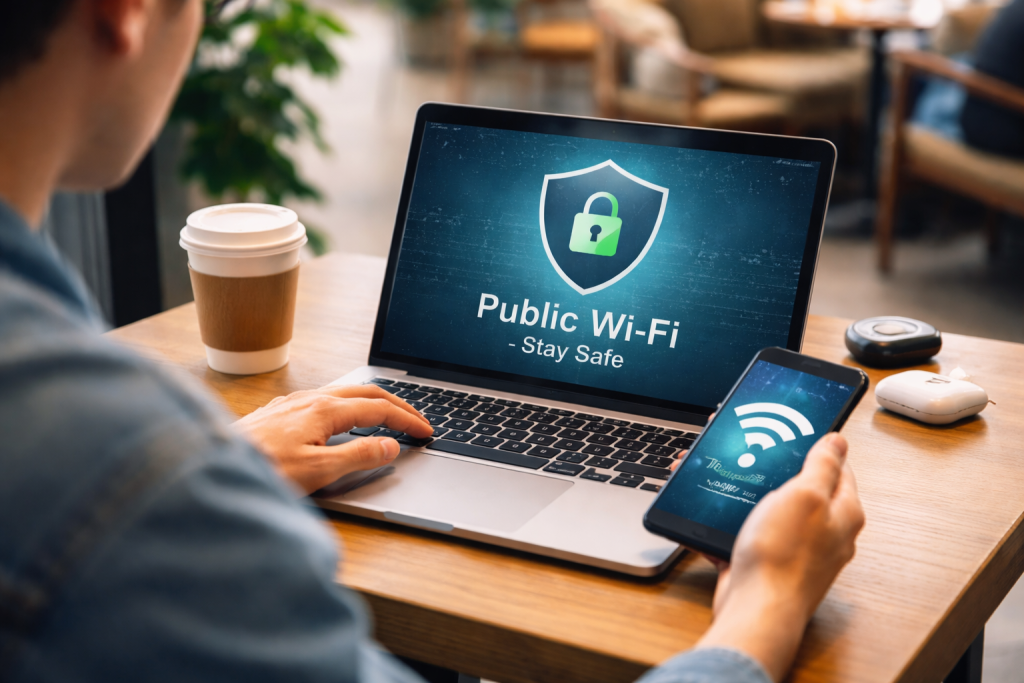
Public Wi-Fi networks are often unencrypted or use weak security protocols. This makes them vulnerable to various threats, akin to leaving your front door unlocked in a busy marketplace. Anyone with a basic understanding of network security can potentially intercept the data transmitted over these networks.
Contents
- 0.1 Man-in-the-Middle Attacks
- 0.2 Unsecured Networks
- 0.3 Snooping and Eavesdropping
- 0.4 Malicious Hotspots
- 0.5 Malware Distribution
- 0.6 Verify the Network Name
- 0.7 Disable Automatic Connection
- 0.8 Enable Your Device’s Firewall
- 0.9 Keep Your Software Updated
- 0.10 Avoid Sensitive Transactions
- 0.11 Consider Turning Off File Sharing
- 0.12 How VPNs Work
- 0.13 Benefits of Using a VPN on Public Wi-Fi
- 0.14 Choosing a Reputable VPN Provider
- 0.15 Use Strong, Unique Passwords
- 0.16 Enable Two-Factor Authentication (2FA)
- 0.17 Be Mindful of What You Share
- 0.18 Regularly Review Your Accounts
- 0.19 Log Out of Accounts When Finished
- 0.20 Fake Login Pages
- 0.21 Phishing Emails and Messages
- 0.22 Compromised Devices
- 0.23 “Free” Wi-Fi Offers
- 0.24 Encrypt Your Hard Drive
- 0.25 Use a Mobile Hotspot
- 0.26 Disable Remote Access Features
- 0.27 Secure Your Router (If Applicable)
- 0.28 Be Mindful of Physical Security
- 0.29 Treat Public Wi-Fi as Potentially Insecure
- 0.30 Educate Yourself and Stay Informed
- 0.31 Use Secure Websites (HTTPS)
- 0.32 Limit Your Time on Public Wi-Fi
- 0.33 Be Skeptical and Trust Your Instincts
- 1 FAQs
- 1.1 1. What are the risks of using public Wi-Fi?
- 1.2 2. How can I securely connect to public Wi-Fi networks?
- 1.3 3. What are some common Wi-Fi scams to be aware of?
- 1.4 4. How can I protect my personal information while using public Wi-Fi?
- 1.5 5. What are the best practices for securing my devices and data on public Wi-Fi?
Man-in-the-Middle Attacks
A man-in-the-middle (MITM) attack occurs when an attacker secretly relays and possibly alters the communication between two parties who believe they are directly communicating with each other. On public Wi-Fi, an attacker can position themselves between your device and the Wi-Fi router. They can then observe, capture, and even modify the data you send and receive. This could include login credentials, financial details, and personal messages. Imagine a postal worker reading and rewriting your mail before it reaches its destination.
Unsecured Networks
Many public Wi-Fi networks do not require a password or use a universally known password. These open networks are an easy target for malicious actors. Without encryption, the data you send is transmitted in plain text, making it readily accessible to anyone monitoring the network. This is like shouting your sensitive information across a crowded room.
Snooping and Eavesdropping
Even on networks that require a password, if the encryption is weak or improperly implemented, it can still be vulnerable to snooping. Attackers can use readily available tools to capture the traffic flowing through the network. This allows them to see which websites you visit, what you download, and potentially any unencrypted information you transmit.
Malicious Hotspots
Attackers can set up fake Wi-Fi hotspots that mimic legitimate public networks. For example, a hotspot might be named “Free Airport WiFi.” When you connect to this fake network, all your internet traffic is routed through the attacker’s device, allowing them to capture your data. This is like a wolf donning a sheep’s disguise.
Malware Distribution
Some malicious actors can exploit vulnerabilities in public Wi-Fi networks to distribute malware. They might redirect users to websites that automatically download malicious software, or they could exploit weaknesses in your device’s operating system or applications.
Taking proactive steps before and during your connection to public Wi-Fi can significantly reduce the risks. These measures act as your digital shield and prudent planning.
Verify the Network Name
Before connecting, carefully verify the official name of the Wi-Fi network. Malicious hotspots often have names that are very similar to legitimate ones. If you are in a cafe, ask a staff member for the exact Wi-Fi network name and password. Do not rely solely on what appears in your device’s list of available networks.
Disable Automatic Connection
Turn off the feature on your devices that automatically connects to known Wi-Fi networks. This prevents your device from connecting to potentially malicious networks without your explicit consent. You should actively choose to connect to a network each time.
Enable Your Device’s Firewall
Ensure that your device’s built-in firewall is turned on. A firewall acts as a barrier, controlling incoming and outgoing network traffic based on predetermined security rules. It can help block unauthorized access to your device.
Keep Your Software Updated
Always maintain the latest versions of your operating system, web browser, and any security software you use. Software updates often include patches for security vulnerabilities that could be exploited by attackers on public Wi-Fi. Keeping your software updated is akin to repairing cracks in your armor.
Avoid Sensitive Transactions
It is best to avoid conducting sensitive transactions, such as online banking, shopping with credit card details, or accessing confidential work files, when connected to public Wi-Fi. If you must, ensure the websites use HTTPS.
Consider Turning Off File Sharing
If your operating system has file sharing enabled, it is advisable to disable it when connected to a public network. File sharing can make your device accessible to others on the same network, potentially exposing your files.
A Virtual Private Network (VPN) is a powerful tool for enhancing your online privacy and security, especially on public Wi-Fi. Think of a VPN as a private, encrypted tunnel for your internet traffic.
How VPNs Work
When you connect to a VPN, it creates an encrypted connection between your device and a remote VPN server. All your internet traffic is then routed through this server. This means that anyone trying to snoop on your connection will only see encrypted data, making it unreadable. Even the Wi-Fi provider cannot see the content of your traffic, only that you are connected to a VPN server.
Benefits of Using a VPN on Public Wi-Fi
- Encryption: VPNs encrypt your data, making it unreadable to anyone who might intercept it on a public network.
- Hiding Your IP Address: A VPN masks your real IP address, replacing it with the IP address of the VPN server. This makes it harder for websites and services to track your online activities.
- Bypassing Geo-Restrictions: While not a primary security function, VPNs can also be used to access content that is restricted in your geographical location.
Choosing a Reputable VPN Provider
Not all VPNs are created equal. When selecting a VPN provider, consider the following:
- No-Logs Policy: Choose a VPN that explicitly states it does not log your online activity. This ensures that even if the VPN provider were compelled to share data, they would have nothing to share.
- Strong Encryption: Look for VPNs that use strong encryption protocols like OpenVPN or WireGuard.
- Server Locations: A wider range of server locations can offer more flexibility and potentially better speeds.
- Reputation and Reviews: Research the VPN provider’s reputation and read independent reviews.
Beyond network security measures, adopting good habits for managing your personal information is crucial when you are online, particularly in public spaces.
Use Strong, Unique Passwords
Employ strong, unique passwords for all your online accounts. Avoid using easily guessable passwords or reusing the same password across multiple services. A password manager can help you create and store complex passwords. This is like having a unique key for every lock, rather than one master key that could open everything.
Enable Two-Factor Authentication (2FA)
Wherever possible, enable two-factor authentication for your accounts. This adds an extra layer of security by requiring a second form of verification, such as a code sent to your phone, in addition to your password. It significantly reduces the risk of unauthorized access even if your password is compromised.
Be cautious about the personal information you voluntarily share online, especially on social media or in online forms. Anything you post or submit can potentially be accessed and misused.
Regularly Review Your Accounts
Periodically review your online accounts for any suspicious activity. Check bank statements, credit card statements, and social media activity for anything you don’t recognize.
Log Out of Accounts When Finished
Always remember to log out of websites and applications when you are finished using them, especially on shared or public devices or networks. This prevents others from accessing your accounts if they gain access to your device later.
Being aware of common scams that target public Wi-Fi users can help you steer clear of trouble. Vigilance is your best defense against deception.
Fake Login Pages
Attackers can create fake login pages that look identical to legitimate ones, such as for email providers or social media sites. If you enter your credentials on a fake page, the attacker will capture your username and password. Always check the URL in the address bar for accuracy and look for HTTPS.
Phishing Emails and Messages
Phishing attempts can come through email or messages, even when you are on public Wi-Fi. These messages often pretend to be from legitimate organizations and ask you to click on a link or provide personal information. Be skeptical of unsolicited messages asking for sensitive data.
Compromised Devices
If you have malware on your device, an attacker on the same public Wi-Fi network might be able to exploit that malware to gain access. Regularly scan your device for viruses and malware.
“Free” Wi-Fi Offers
Be wary of excessive or enticing offers of “free” Wi-Fi. While many public Wi-Fi networks are indeed free, overly aggressive marketing or unusual setup procedures could be a sign of a scam.
Your devices are the gateways to your digital life. Protecting them diligently is essential when venturing onto public Wi-Fi.
Encrypt Your Hard Drive
Consider encrypting the hard drive of your laptop and your mobile devices. Disk encryption scrambles your data, making it unreadable to anyone who gains physical access to your device or accesses it over a network without the decryption key.
Use a Mobile Hotspot
If you have a reliable cellular data plan, using your smartphone as a personal hotspot can be a more secure alternative to public Wi-Fi for essential tasks. This way, you are using your carrier’s secured network.
Disable Remote Access Features
Turn off any remote access features or remote desktop services on your devices when you are on public Wi-Fi, unless they are absolutely necessary and properly secured.
Secure Your Router (If Applicable)
If you are in a situation where you need to set up your own Wi-Fi network in a public or shared space (e.g., a temporary office), ensure your router is set up with a strong password and robust encryption.
Be Mindful of Physical Security
While not strictly a digital security measure, remember that physical security is also important. Do not leave your devices unattended in public places.
The act of browsing the web on public Wi-Fi requires a combination of technical precautions and mindful behavior. By understanding the potential hazards and implementing these strategies, you can significantly enhance your online safety.
Treat Public Wi-Fi as Potentially Insecure
Adopt a default mindset that any public Wi-Fi connection is potentially compromised. This proactive approach will encourage you to take the necessary precautions.
Educate Yourself and Stay Informed
The landscape of online threats is constantly evolving. Staying informed about new security risks and best practices is an ongoing process. Resources from cybersecurity firms and reputable tech publications can be valuable.
Use Secure Websites (HTTPS)
Always look for “https” at the beginning of a website’s address and a padlock icon in your browser’s address bar. This indicates that the connection to the website is encrypted, making your communication more secure.
Limit Your Time on Public Wi-Fi
If possible, limit the amount of time you spend connected to public Wi-Fi, especially for activities that involve sensitive data. Head home or to a trusted private network for these tasks.
Be Skeptical and Trust Your Instincts
If something feels off about a Wi-Fi network, a website, or an offer, it is likely that it is. Do not hesitate to disconnect and investigate further or seek an alternative.
In conclusion, public Wi-Fi offers undeniable convenience, but it also presents risks that require your attention. By thoroughly understanding these risks, employing secure connection methods, utilizing tools like VPNs, and adhering to best practices for protecting your personal information and devices, you can navigate the digital world more safely and confidently, even when you are on the go.
FAQs
1. What are the risks of using public Wi-Fi?
Public Wi-Fi networks are often unsecured, making it easier for hackers to intercept your data. This can lead to identity theft, financial fraud, and unauthorized access to your personal information.
2. How can I securely connect to public Wi-Fi networks?
To securely connect to public Wi-Fi, make sure to use a virtual private network (VPN) to encrypt your internet traffic. Additionally, only connect to networks that require a password and avoid accessing sensitive information while on public Wi-Fi.
3. What are some common Wi-Fi scams to be aware of?
Common Wi-Fi scams include fake Wi-Fi networks set up by hackers to steal your information, as well as “man-in-the-middle” attacks where hackers intercept your data as it travels between your device and the internet.
4. How can I protect my personal information while using public Wi-Fi?
To protect your personal information on public Wi-Fi, use strong, unique passwords for your accounts, enable two-factor authentication, and avoid accessing sensitive information such as banking or healthcare records while on public networks.
5. What are the best practices for securing my devices and data on public Wi-Fi?
Best practices for securing your devices and data on public Wi-Fi include keeping your devices and software up to date, using antivirus and firewall protection, and being cautious of the websites you visit and the links you click on while connected to public networks.

At SecureByteHub, we are passionate about simplifying cybersecurity and technology for everyone. Our goal is to provide practical, easy-to-understand guides that help individuals, students, and small businesses stay safe in the digital world. From online security tips to the latest tech insights, we aim to empower our readers with knowledge they can trust