
Defend Your Data: Proven Methods for Safeguarding Your Online Accounts
Protecting your digital presence is no longer an optional extra; it’s a fundamental necessity. In an age where our lives are increasingly lived online, from banking and communication to personal memories and entertainment, safeguarding our accounts is paramount. This guide outlines proven methods for defending your data, ensuring your online presence remains a secure sanctuary rather than an open gate.
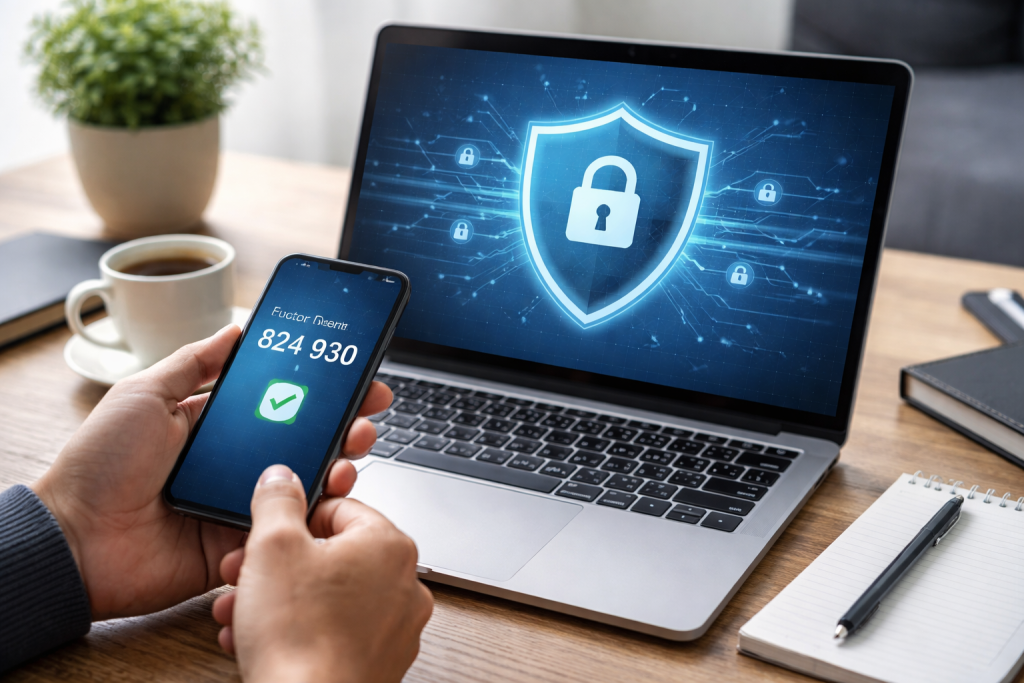
The first line of defense for your online accounts rests on two pillars: the strength of your passwords and the security of your devices. Think of them as the locks on your digital doors and the sturdy walls of your online home.
Contents
- 0.1 Crafting Robust Passwords
- 0.2 The Importance of Device Updates
- 0.3 Implementing Two-Factor Authentication (2FA)
- 0.4 Securing Your Communication Channels
- 0.5 Recognizing and Responding to Phishing and Social Engineering
- 0.6 The Importance of Data Backups
- 0.7 Monitoring Your Accounts and Setting Up Alerts
- 0.8 Educating Yourself and Staying Informed
- 1 FAQs
- 1.1 1. What are some proven methods for safeguarding your online accounts?
- 1.2 2. How can I create strong passwords for my online accounts?
- 1.3 3. What is two-factor authentication, and how does it help safeguard my online accounts?
- 1.4 4. How can I protect myself from phishing and social engineering attacks?
- 1.5 5. Why is it important to regularly update and secure my devices?
Crafting Robust Passwords
A strong password acts as the key to your digital vault. Weak passwords, like easily picked locks, invite intrusion. Avoid common pitfalls such as using personal information (birthdays, pet names), simple sequences (123456), or readily available words from dictionaries. Your password must be a unique guardian, not a common greeting.
Elements of a Strong Password
The most effective passwords combine several elements. Aim for a password that is at least 12 characters long. This length significantly increases the number of possible combinations an attacker must try. Incorporate a mix of uppercase and lowercase letters, numbers, and symbols. For instance, instead of “password,” consider “P@$$w0rd!Z.” The liberal use of differing character types turns a simple word into a cryptographic riddle.
Password Management Strategies
Recalling numerous unique, strong passwords can be a significant challenge. This is where password managers become invaluable tools. These applications act as secure digital notebooks, storing your complex passwords and generating new ones for each account. You only need to remember one strong master password for the manager itself. This approach is far more secure than reusing the same weak password across multiple sites, which is akin to using the same key for your house, car, and office.
The Importance of Device Updates
Your devices—computers, smartphones, and tablets—serve as the gateways to your online world. Like any structure, they require regular maintenance to remain secure. Software updates, much like patching holes in a roof or reinforcing weak points in a wall, fix vulnerabilities that malicious actors can exploit.
Understanding Software Vulnerabilities
Developers constantly discover and fix flaws in their software. These flaws, or vulnerabilities, can be like unlocked windows in your digital home, allowing unauthorized entry. Failing to update your operating system, web browsers, and applications means these vulnerabilities remain open, presenting easy targets for malware and hackers.
The Update Process
Enabling automatic updates is a highly recommended practice. This ensures that security patches are applied promptly without requiring your direct intervention. If automatic updates are not available or feasible, make it a habit to check for and install updates manually on a regular basis, perhaps weekly. Do not dismiss update notifications; they are critical security alerts.
Beyond strong passwords and secure devices, further layers of security can significantly enhance your online safety. These layers act as additional security measures, making it far more difficult for attackers to gain access.
Implementing Two-Factor Authentication (2FA)
Two-factor authentication, often referred to as 2FA, introduces a second gatekeeper to your login process. It requires more than just your password to access an account, typically combining something you know (your password) with something you have (like your phone) or something you are (a fingerprint).
How 2FA Works
When 2FA is enabled, after entering your password, you’ll be prompted for a second verification. This could be a code sent via SMS to your phone, a code generated by an authenticator app on your device, or a biometric scan. Even if an attacker obtains your password, they will still need this second factor to log in. This significantly raises the bar for compromise. Consider it a guard dog patrolling your front door while the lock secures the entrance.
Enabling 2FA on Your Accounts
Many online services now offer 2FA. Actively seek and enable this feature on all your accounts, especially those containing sensitive information like financial institutions, email providers, and social media platforms. It’s a simple step that provides a substantial increase in security.
Securing Your Communication Channels
The way you communicate online also carries risks. Unsecured messages and online interactions can be intercepted or manipulated. Employing secure and encrypted communication methods is vital for protecting sensitive exchanges.
Understanding Encryption
Encryption is the process of scrambling data so that only authorized parties can read it. Think of it as sending a letter in a language only you and the recipient understand. When you use encrypted communication, any interception by an unauthorized party will result in unreadable gibberish.
Choosing Secure Communication Tools
Utilize messaging apps and email services that offer end-to-end encryption. This ensures that your messages are encrypted on your device and only decrypted on the recipient’s device. Avoid sending sensitive information through unencrypted channels, such as standard SMS messages or potentially unsecured web forms.
Even with robust defenses, the digital landscape is dynamic, and threats can evolve. Staying vigilant and having recovery plans in place are crucial components of comprehensive data protection.
Recognizing and Responding to Phishing and Social Engineering
Phishing and social engineering attacks are attempts to trick you into revealing sensitive information or performing actions that compromise your security. These attacks often prey on human psychology, exploiting trust or urgency.
Identifying Phishing Attempts
Phishing typically occurs through emails, text messages, or social media messages that impersonate legitimate organizations. These messages often contain urgent requests for personal information, threats, or enticing offers. Look for poor grammar, generic greetings, suspicious links, and requests for sensitive data. An attacker might send a fake bank email asking you to “verify your account details immediately” by clicking a dubious link.
Understanding Social Engineering Tactics
Social engineering encompasses a broader range of deceptive tactics. This can include impersonation, pretexting (creating a scenario to gain trust), and baiting (offering something desirable to lure you into a trap). Befriending someone online only to later ask for login details or posing as tech support to gain remote access to your computer are examples of social engineering. Always question unexpected or unusual requests, even if they seem to come from a trusted source. Verify information through independent channels.
The Importance of Data Backups
Data loss can occur through hardware failure, cyberattacks, or accidental deletion. Regular backups are your safety net, ensuring you can recover your valuable information.
Backup Strategies
Implement a consistent backup schedule. Store backups in multiple locations, ideally following the “3-2-1” rule: at least three copies of your data, on two different types of media, with one copy stored off-site. This off-site backup can be an external hard drive kept at a different location or a secure cloud storage service.
Secure Cloud Storage
When using cloud storage for backups, ensure you are using a reputable provider with strong security measures, including encryption. This ensures your backed-up data is protected from unauthorized access.
Cybersecurity is not a set-it-and-forget-it endeavor. It requires ongoing attention and a commitment to learning.
Monitoring Your Accounts and Setting Up Alerts
Regularly reviewing your online activity and account statements can help you detect suspicious behavior early. Many financial institutions and online services offer alert systems.
Activity Monitoring
Periodically check your bank statements, credit card statements, and login histories for your online accounts. Look for any transactions or login attempts you don’t recognize. Small, unauthorized charges can sometimes be a precursor to larger fraudulent activity.
Utilizing Security Alerts
Enable all available security alerts offered by your service providers. These alerts can notify you of significant account changes, login attempts from new devices, or unusual activity. This proactive notification system acts as an early warning system, allowing you to respond swiftly to potential threats.
Educating Yourself and Staying Informed
The cybersecurity landscape is constantly evolving, with new threats and technologies emerging regularly. Continuous learning is one of your most potent defenses.
Staying Abreast of Threats
Follow reputable cybersecurity news sources, blogs, and government advisories. Understanding current scam trends and common attack methods will equip you to recognize and avoid them. Think of it as staying informed about the changing weather patterns to prepare for a storm.
Cybersecurity Best Practices
Familiarize yourself with best practices for online safety, including secure browsing habits, recognizing suspicious links, and understanding privacy settings on social media and other platforms. The more knowledgeable you are, the less susceptible you become to manipulation and threats. Your digital awareness is a powerful shield. By implementing these proven methods, you can build a strong defense for your online accounts and protect your digital life from intrusion.
FAQs
1. What are some proven methods for safeguarding your online accounts?
Some proven methods for safeguarding your online accounts include using strong passwords and two-factor authentication, regularly updating and securing your devices, being aware of phishing and social engineering attacks, utilizing secure and encrypted communication, backing up your data and using secure cloud storage, monitoring your online accounts and setting up alerts, and educating yourself about cybersecurity best practices.
2. How can I create strong passwords for my online accounts?
To create strong passwords for your online accounts, use a combination of upper- and lowercase letters, numbers, and special characters. Avoid using easily guessed information, such as your name, birthdate, or common words. Consider using a passphrase that is easy for you to remember but difficult for others to guess.
3. What is two-factor authentication, and how does it help safeguard my online accounts?
Two-factor authentication adds an extra layer of security to your online accounts by requiring a second form of verification, such as a code sent to your phone or a biometric scan, in addition to your password. This helps prevent unauthorized access to your accounts, even if your password is compromised.
To protect yourself from phishing and social engineering attacks, be cautious of unsolicited emails, messages, or phone calls asking for personal or sensitive information. Verify the identity of the sender before clicking on any links or providing any information. Be wary of requests for urgent action or offers that seem too good to be true.
5. Why is it important to regularly update and secure my devices?
Regularly updating and securing your devices is important to protect against security vulnerabilities and malware. Software updates often include patches for known security issues, and using antivirus and firewall software can help prevent unauthorized access to your devices and data.

At SecureByteHub, we are passionate about simplifying cybersecurity and technology for everyone. Our goal is to provide practical, easy-to-understand guides that help individuals, students, and small businesses stay safe in the digital world. From online security tips to the latest tech insights, we aim to empower our readers with knowledge they can trust